

One UI 9 has arrived on most recent Galaxy flagships and brings some genuinely useful additions, unlike the usual AI features that rarely make it past the tutorial stage.
After testing the Galaxy S26 Ultra in depth, here are the five features that are genuinely worth exploring.
My FanCam, Security Brief and an improved document scanner are the practical highlights of One UI 9
My FanCam
 Fonte preferida
My FanCam turns a wide-shot video into tracking footage focused on a single person.
Simply open the video in the gallery, tap the Galaxy AI button, and choose the subject to follow.
It works in aeroplane mode without sending data to the cloud, making it especially useful for sports videos, concerts, and dance content for social media. Available up to the Galaxy S24.
Aproveite a campanha:


Quick Panel
The more customisable Quick Panel now allows the volume and brightness sliders to be completely free from the shortcuts that were always pinned to the edges. Icon borders have also been removed for a cleaner look.

Document scanner
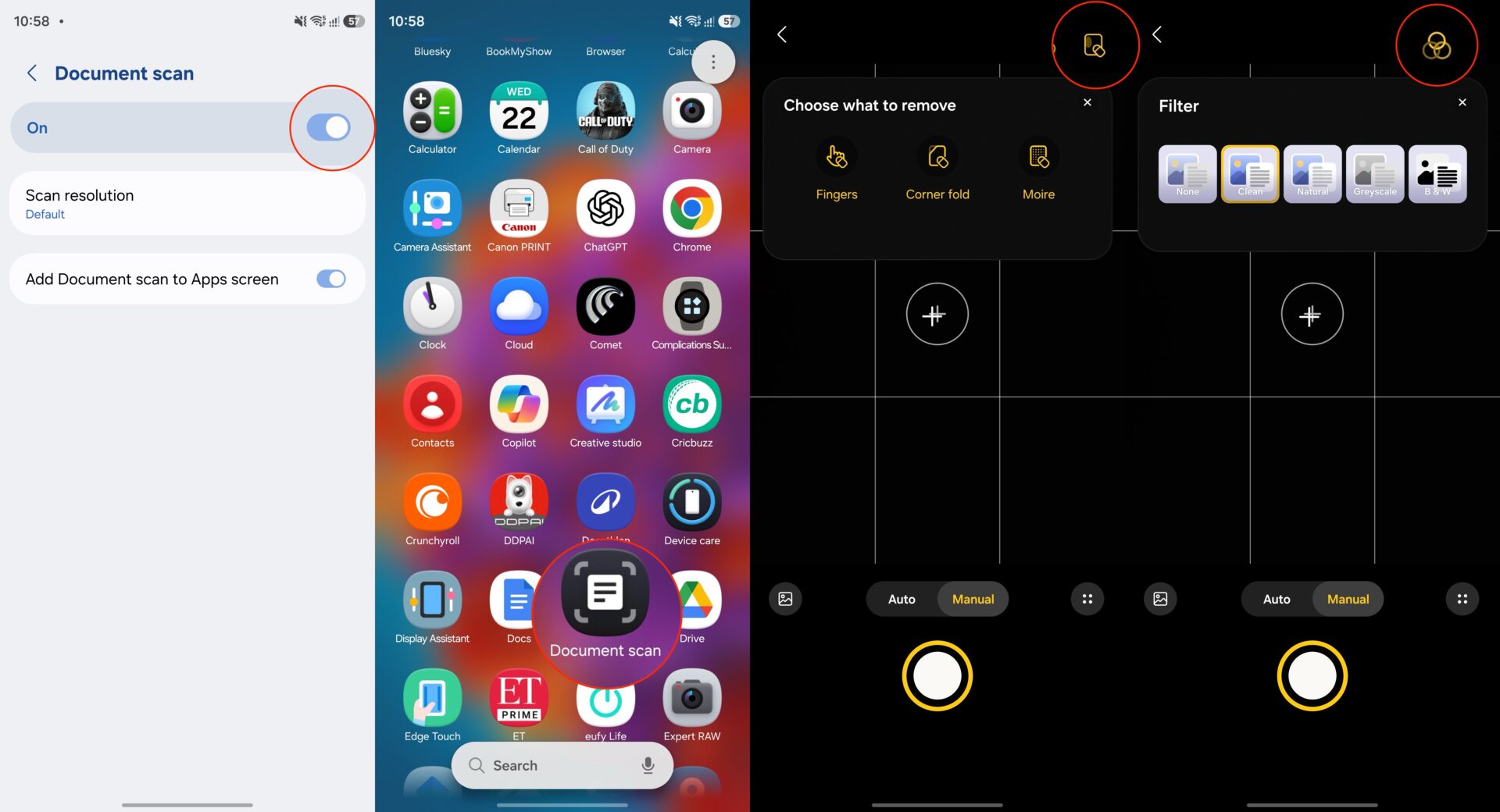
The improved document scanner now automatically compensates for curved surfaces such as book pages and folded corners, and removes your thumb from photos taken while holding the document. There is also a direct shortcut on the home screen.
Now Brief
The customisable Now Brief lets you create cards with information of your choice from a set of apps such as Samsung Health, Meteo or YouTube, which update at a time set by the user.
It is more useful than the previous Now Brief, which would “inform” you that the day was passing.

Security Brief
Security Brief monitors app behaviour and alerts you in the Now Bar whenever it detects suspicious activity such as excessive background location requests.
Those who install APKs outside the Play Store may experience false positives. Supported on One UI 9 up to the Galaxy S23.
Sobre o autor

Aproveite a campanha:


