
The market is flooded with OBD devices for car diagnostics and fault reading.
While some transmit only basic information, others go deeper to analyse problems and even identify specific faults.
 Fonte preferida
Over the past few weeks we had the opportunity to test the OBDeleven 3 — the OBD device that enables diagnostics and minor software modifications on your car.
We tested the OBDeleven 3 and have already started unlocking features on our car
Taking a car to a garage for a simple diagnostic can cost tens of euros and always involves booking an appointment, dropping off the car and waiting.
The OBDeleven 3 offers an alternative: a Bluetooth dongle the size of a pen drive that plugs permanently into the car’s OBD2 port and lets you run diagnostics, clear faults, and unlock hidden features directly from your smartphone.
Aproveite a campanha:

The OBDeleven 3 is an OBD2 diagnostic and customisation tool with Bluetooth connectivity, second-generation CAN-FD interfaces, an energy-saving mode for permanent connection without draining the battery, and compatibility with Android 8.0, iOS 16.6, and HarmonyOS.
It holds official licences from the Volkswagen Group, BMW Group, Toyota Group, Ford Group, and Mercedes-Benz, with advanced full-system vehicle diagnostics, real-time data monitoring, One-Click Apps for adjusting comfort and safety features, and manual coding for VAG vehicles.
For Volkswagen Group owners — such as those with a Cupra Formentor — it offers worldwide coverage with full access to advanced diagnostics and VAG coding.
The OBDeleven 3 is available for €84.99, with a bundle option including 100 credits and a Pro plan for €139.99, the Pro plan with 200 credits for €159, or the Ultimate pack with an Ultimate licence and some accessories for €207.
What is the OBDeleven 3?
The OBD2 port is present in virtually every car manufactured from 2001 onwards and is the same one garages use to read faults and run diagnostics.
The OBDeleven 3 is a small Bluetooth device that connects to this port and lets you do the same directly from your smartphone — no cables, laptops or garage visits required.
But it goes beyond basic diagnostics. For Volkswagen Group owners, the OBDeleven 3 opens access to factory-hidden features that can be activated with a few taps — from comfort tweaks to customisations that are normally only available at dealerships or specialist garages.
The device holds official licences from the Volkswagen Group, BMW Group, Toyota Group, Ford Group, and Mercedes-Benz — meaning full access to all vehicle systems, not just the engine, unlike the generic OBD2 readers available for under €20 that only access basic emissions data.
An important point to consider before using the OBDeleven 3 to activate hidden features or make software changes is the warranty.
Modifications made through third-party tools can, in theory, be detected by the dealership and may affect warranty coverage in the event of a fault related to those changes.
Most One-Click Apps make reversible adjustments that can be undone before a garage visit, but it is always advisable to understand what is being changed before confirming any modification — especially on cars still within the warranty period.
SFD and SFD2: Volkswagen’s diagnostic protection
SFD (Schutz Fahrzeug Diagnose, or Vehicle Diagnostic Protection) is an additional security layer that requires authorisation between the car and the manufacturer. It was introduced by the Volkswagen Group to protect owners against fraud by recording who made changes to the vehicle and when. In practice, it restricts functions such as adaptations, coding, and parameterisation.
The protection applies to models manufactured from 2020 on the MQB Evo platform (for example, VW Golf 8, Škoda Octavia IV, Seat Leon IV, and Audi A3 8Y) and MEB platform (such as the VW ID.3, ID.4, and Škoda Enyaq). Protected control units include the engine management system, central electronics, instrument cluster, gateway, and multimedia unit.
To make this protection virtually invisible, OBDeleven has created automatic SFD unlocking. With this function active, whenever we attempt to change the long coding, make an adaptation, or use a One-Click App on a locked unit, the app automatically requests the SFD token from Volkswagen’s servers, unlocks the unit, and applies the change.

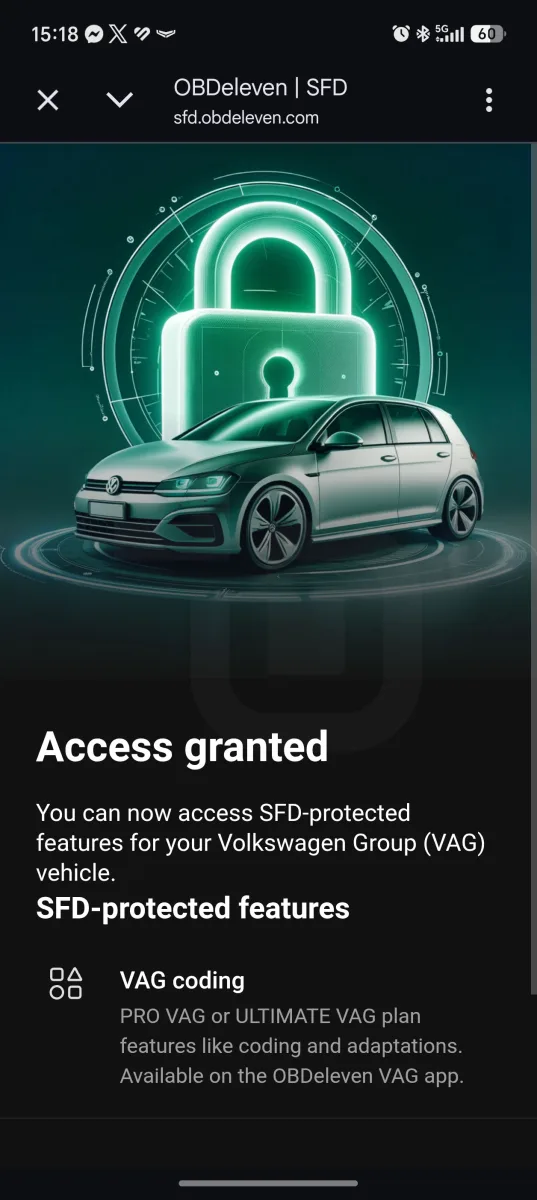
This is possible because OBDeleven is one of the few third-party devices officially licensed by Volkswagen to obtain these tokens directly through the app.
The limit is SFD2 — the latest version of the protection, present on Volkswagen Group vehicles from 2024 onwards. These models are not, for now, supported by the OBDeleven 3, meaning owners of recent VAG cars with SFD2 cannot access the advanced features described in this article, such as One-Click Apps, coding, and adaptations.
The automatic unlocking that works on models from 2020 does not apply to these cars. It is worth checking OBDeleven’s official website to confirm whether your model is compatible before buying.

Design and build quality
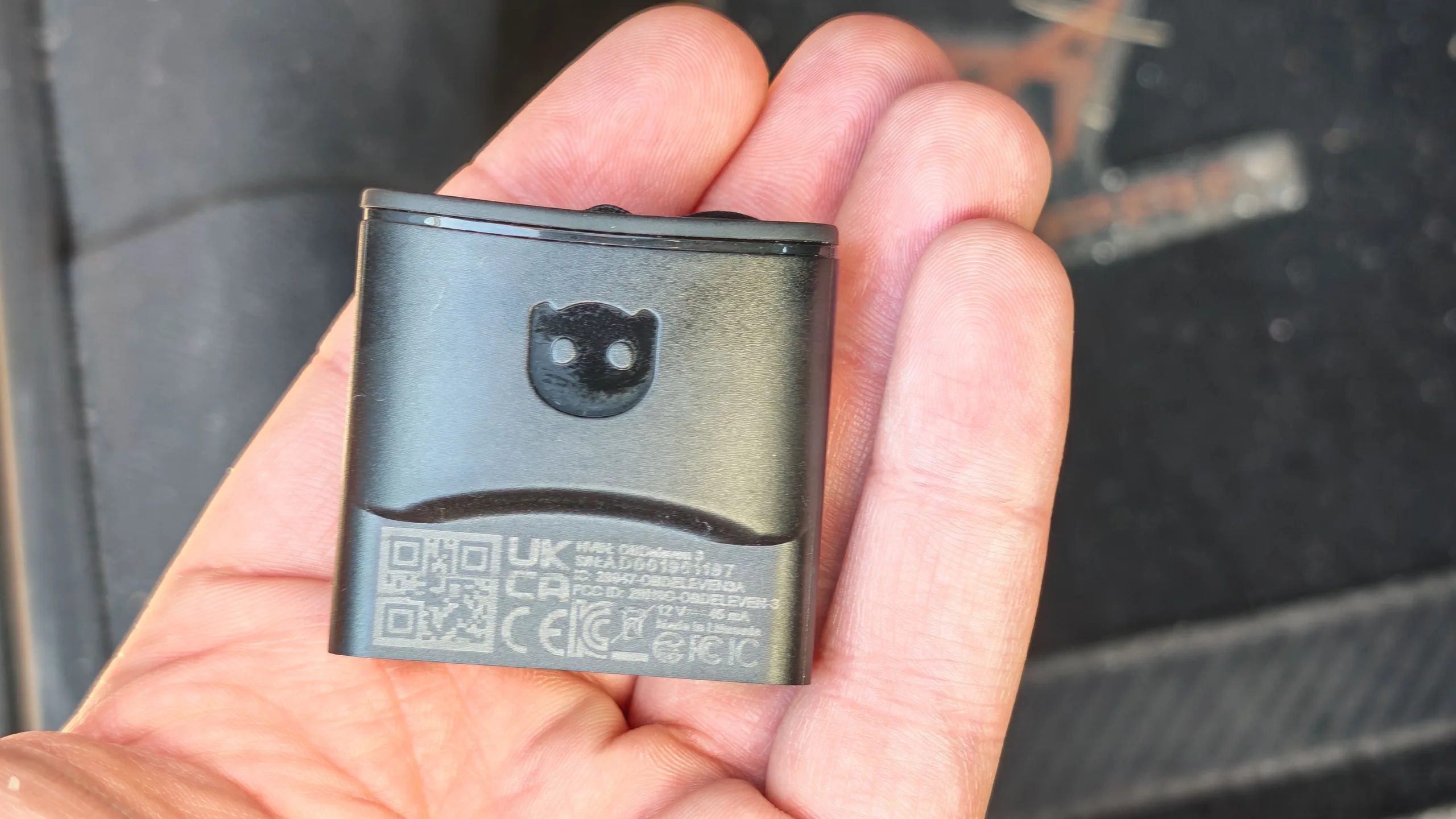
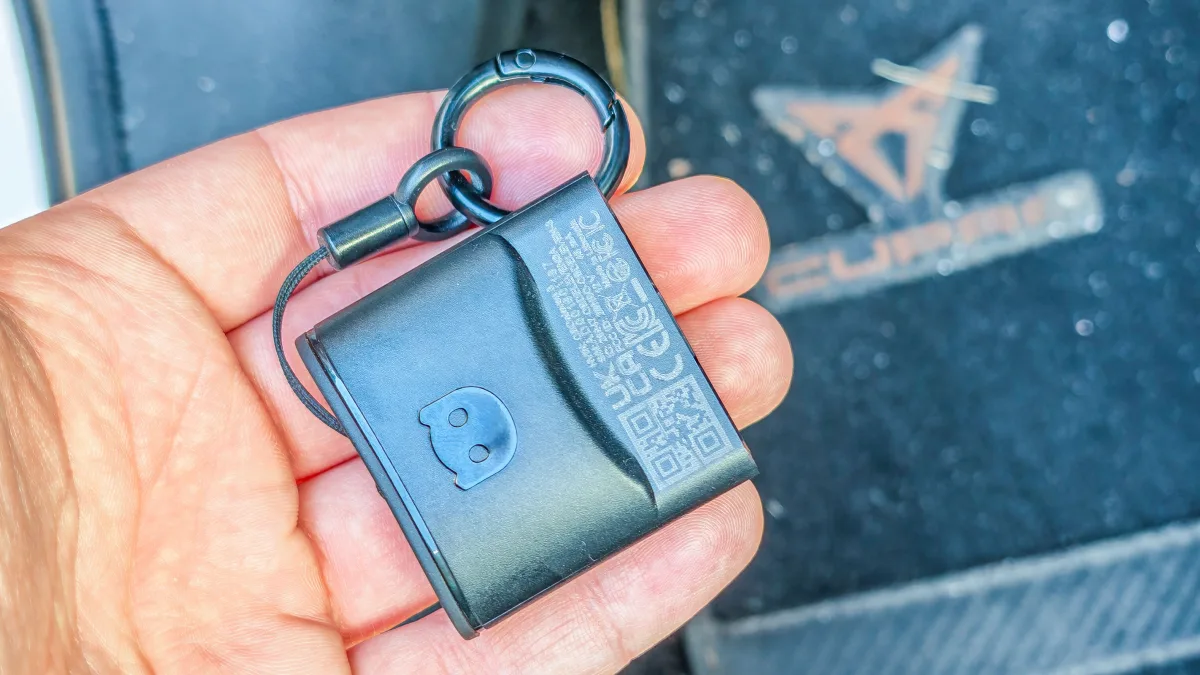
The OBDeleven 3 is a compact and discreet device. It is easy to keep in the glove box or another compartment so it is always to hand.
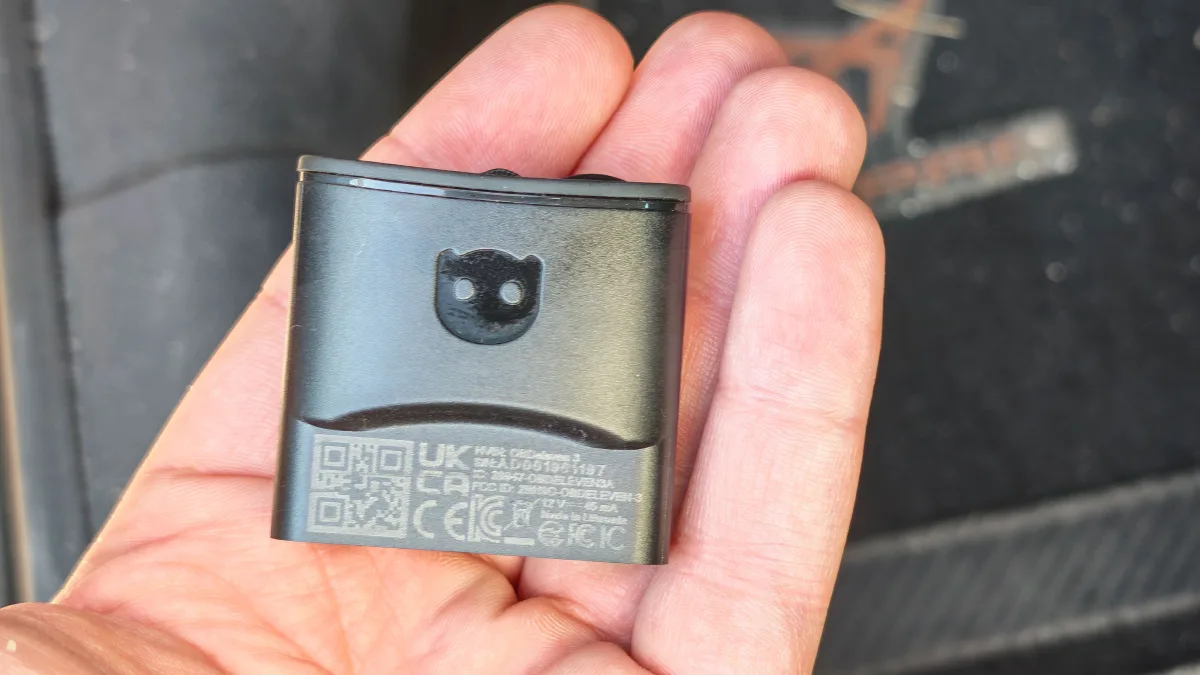
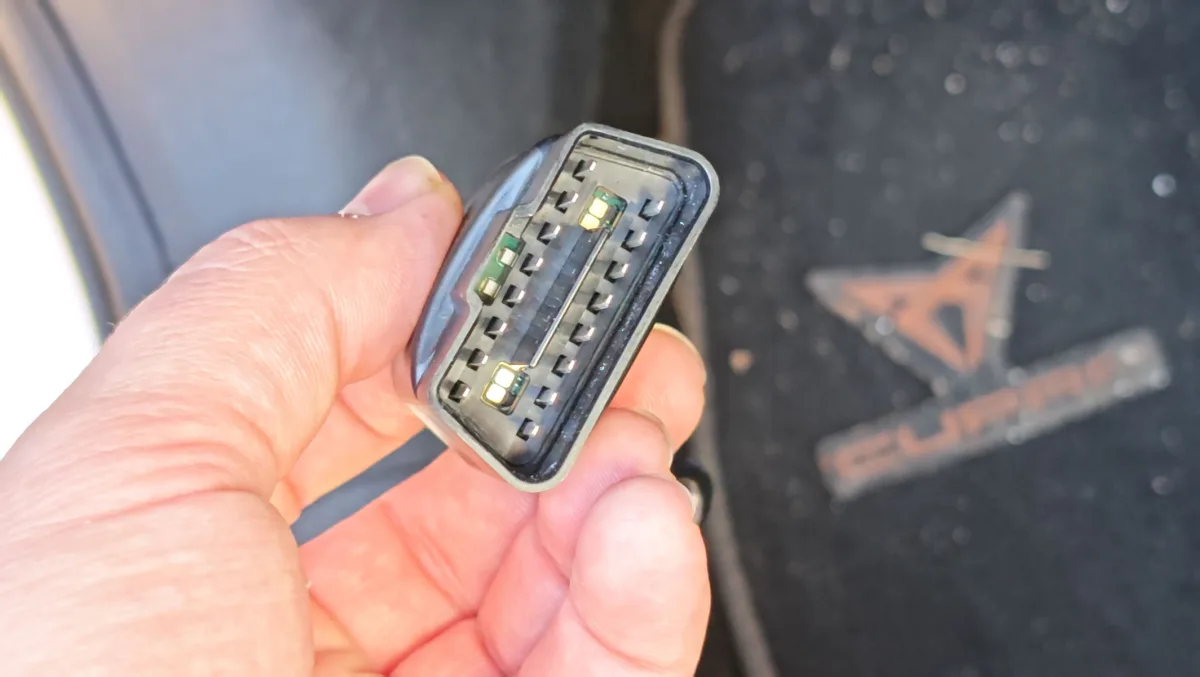
It is an entirely black device with the brand logo finished in gloss lacquer and an OBD2 connector at one end.
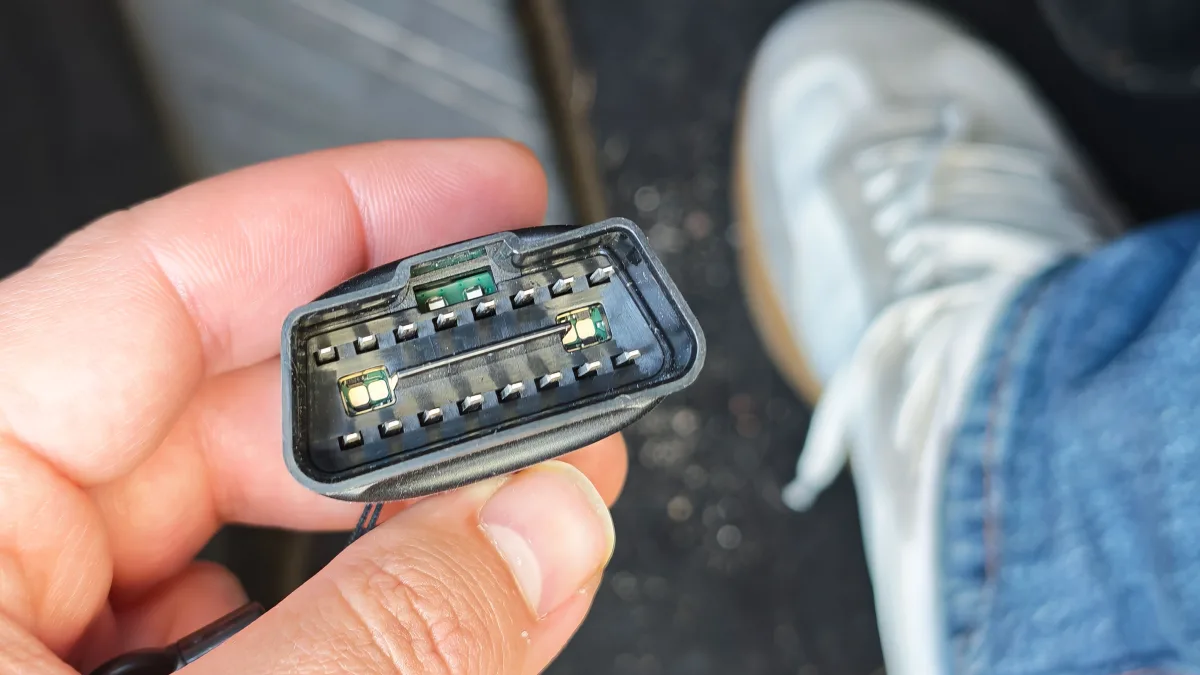
It is built entirely from rigid plastic and feels well made and durable, even with frequent use.
Setup and installation
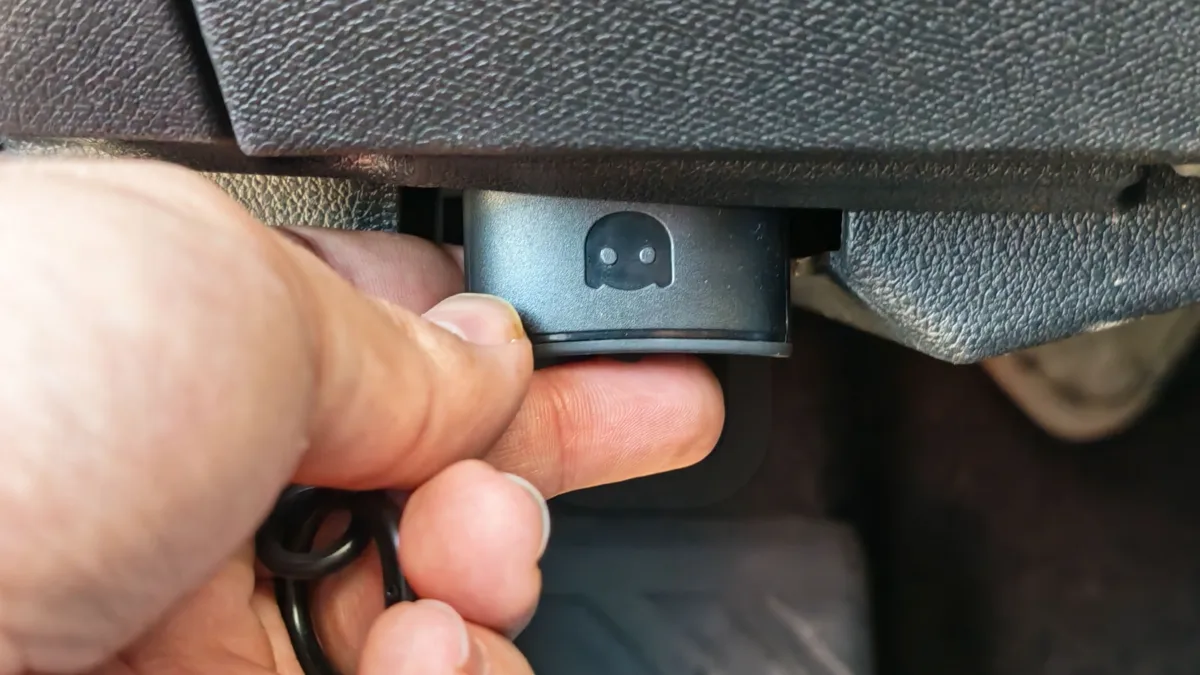
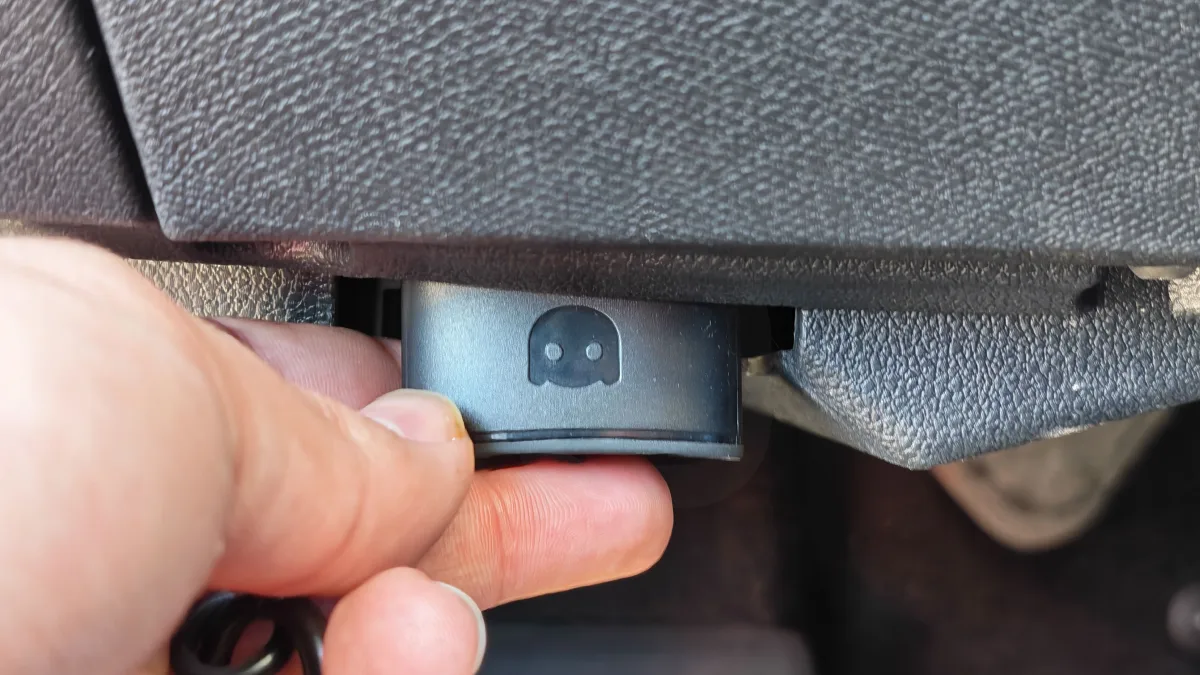
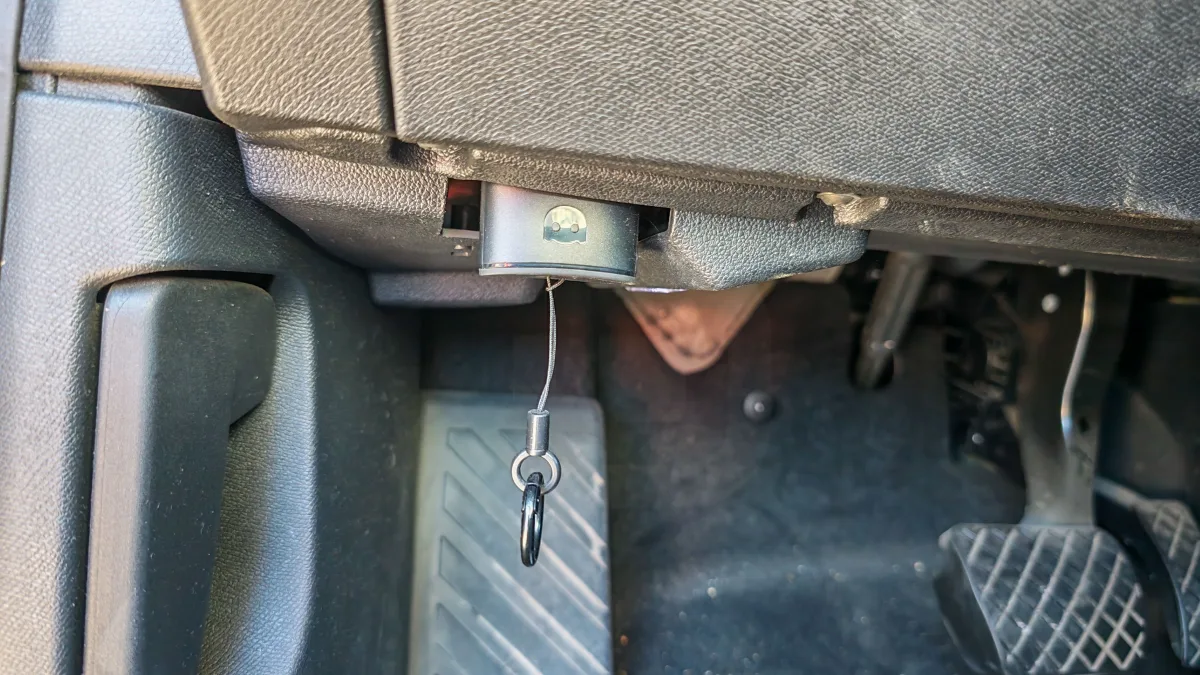
The OBDeleven 3 should be connected directly to the car’s OBD2 port. The location of this port varies from model to model — consult the manual or search online to find where it is in your specific car.
In our case, and in the vast majority of cars, it is located on the left side of the steering wheel, in the area where the fuse box or the boot release lever is usually found.

After connecting the OBDeleven 3, install the app to pair it and link your account.
The app is available for Android and iOS — simply create an account and follow the steps to pair the device.
OBDeleven app
To control the OBDeleven 3, the smartphone app is the central hub for all options and information.
Once the device is connected, a large amount of information becomes available — the level of detail depends on the make and model of the car.
If it is an officially supported car — VW, Audi, Škoda, Cupra, Seat, BMW, MINI, Rolls-Royce, Toyota, Lexus, Ford, or Mercedes-Benz — the full potential of this device can be realised.
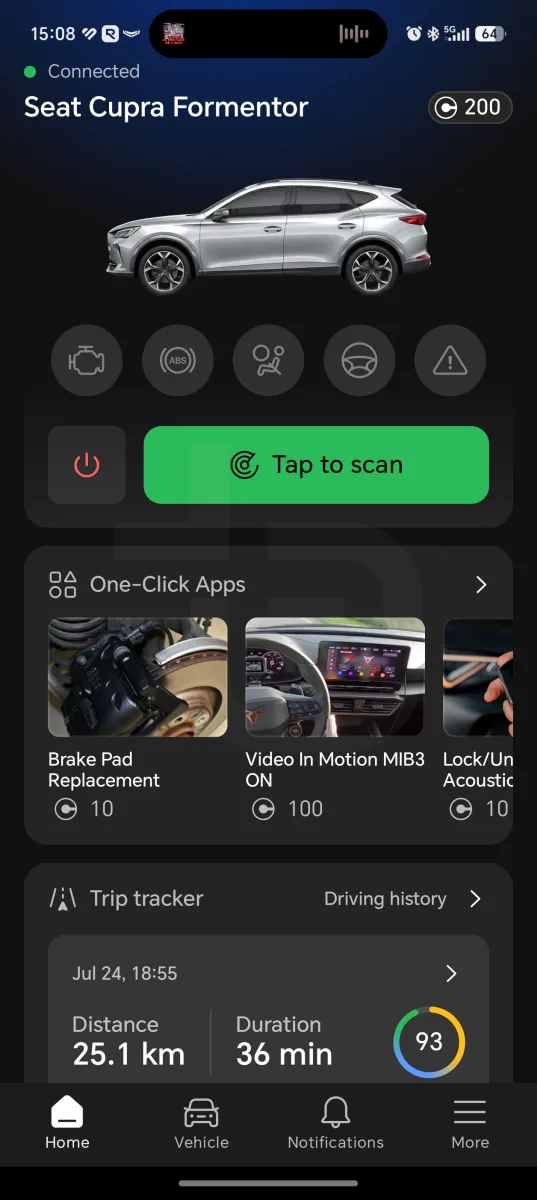
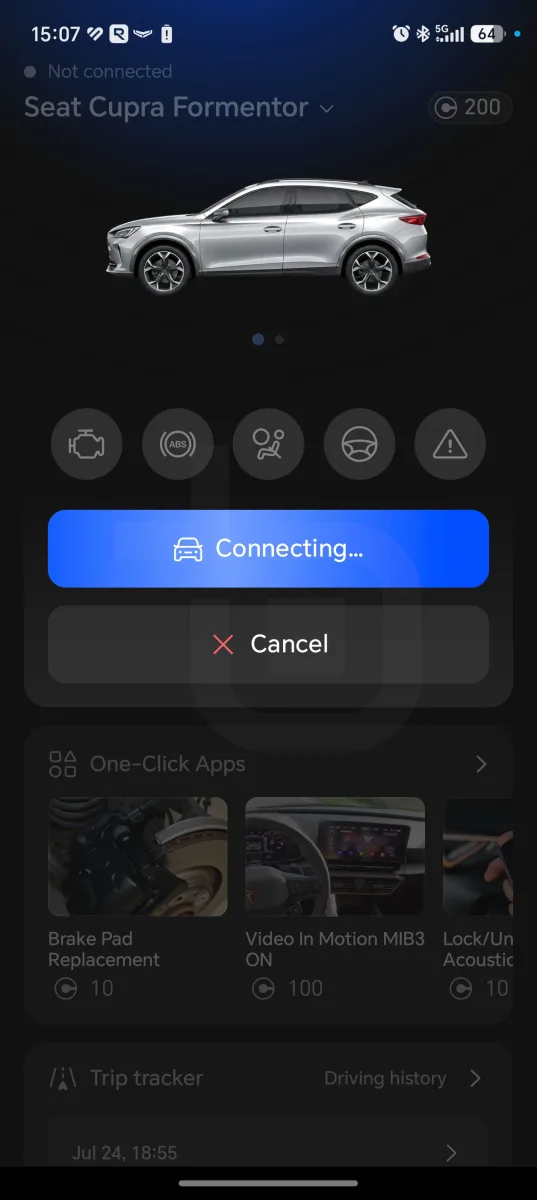
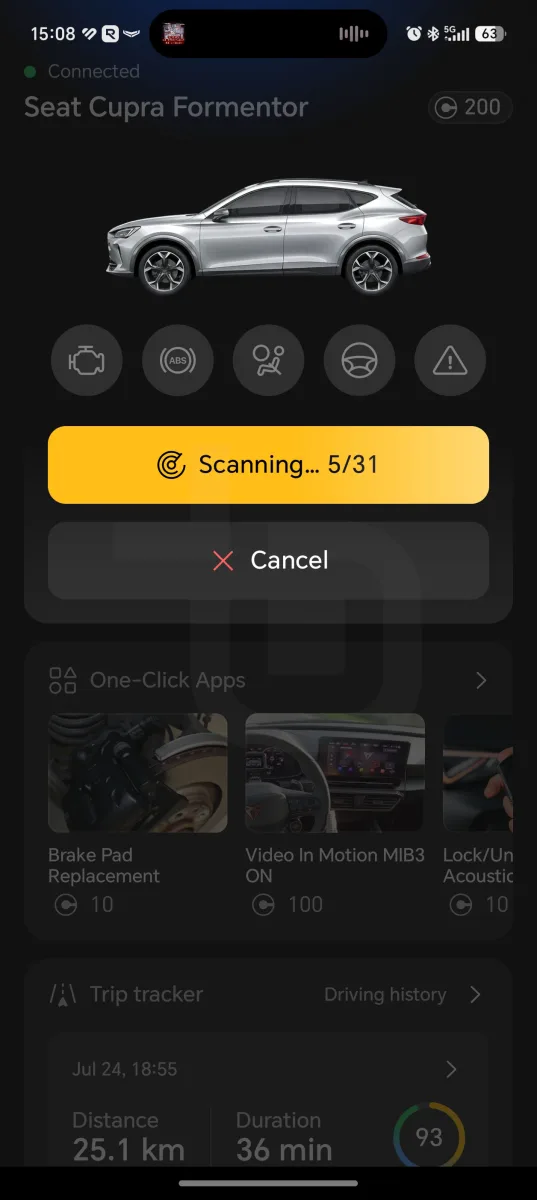
In these cases, it is possible to run a fault scan with detailed information, use the One-Click Apps, receive car alerts, and view the status of various components or vehicle information.
For brands not officially supported, only generic fault information is shown and it is only possible to view basic error information and use the trip tracker or expense tracker.
Fault diagnostics
When the fault scan option is selected, the OBDeleven 3 reads all warnings recorded in the ECU, presents the details and a possible explanation of the cause and effect, and indicates whether the situation is urgent or not.
In this section, a large number of false positives should be expected and handled with care.

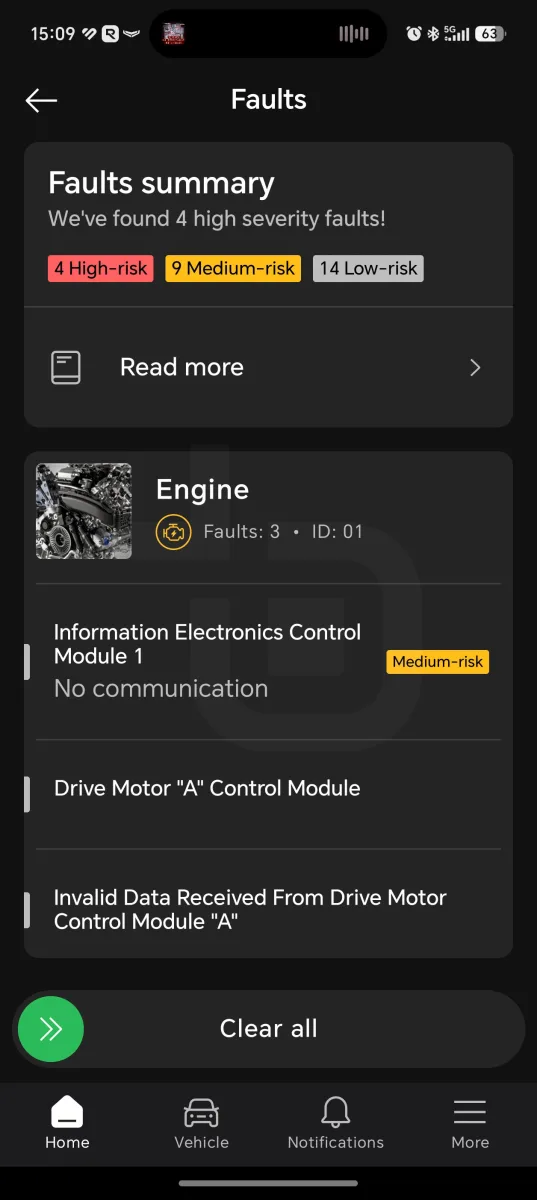
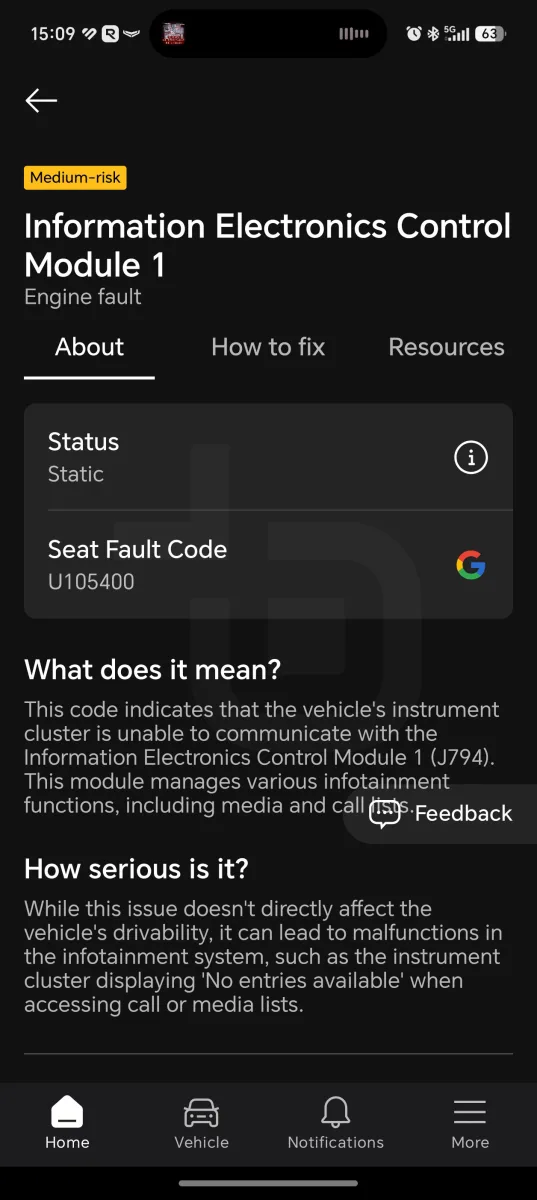
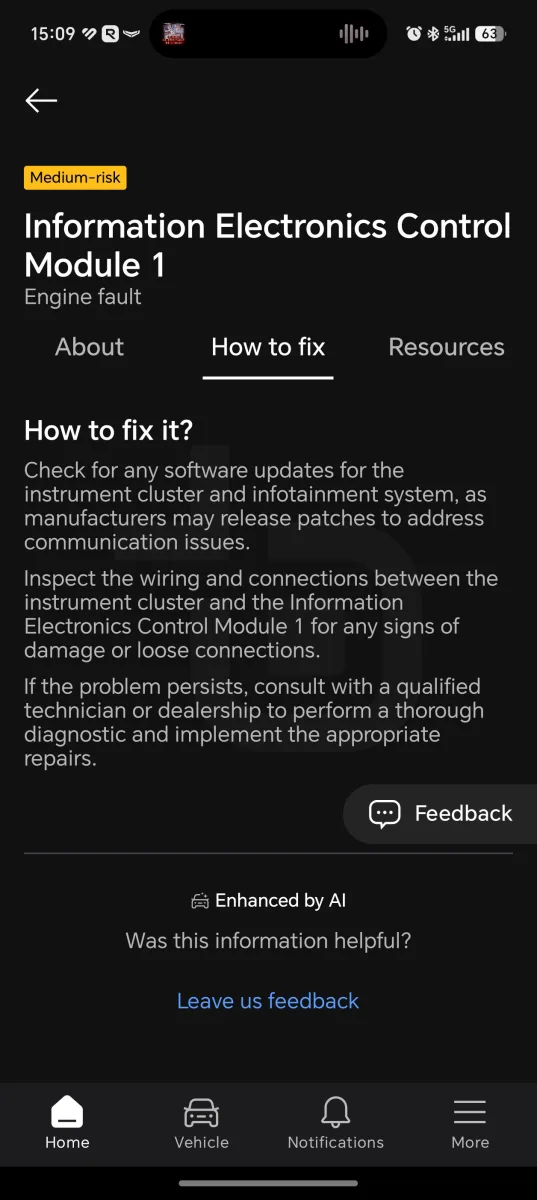
After reading all the faults, you can choose to keep them or clear the entire list of flags recorded in the ECU.
For cars outside the supported brands, only generic information is shown — the fault code, a brief description, and a link to search for the code on Google.
One-Click Apps and VAG customisation
Beyond detailed fault information, the OBDeleven 3 has a major advantage for officially supported cars — especially within the VAG group.
One-Click Apps presents a list of features that can be unlocked directly from the app in exchange for credits.
Examples include enabling video playback on the MIB3 screen, activating the horn when locking and unlocking, adjusting front light animations, enabling extra information on the driver’s display, disabling the seatbelt warning chime, removing maintenance reminders, or activating service modes.
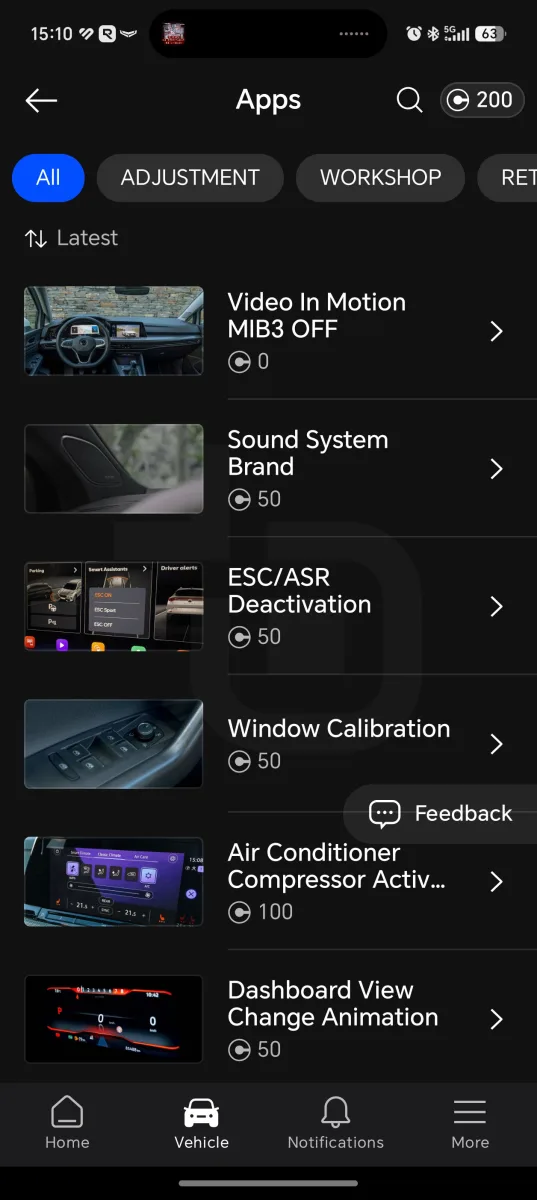
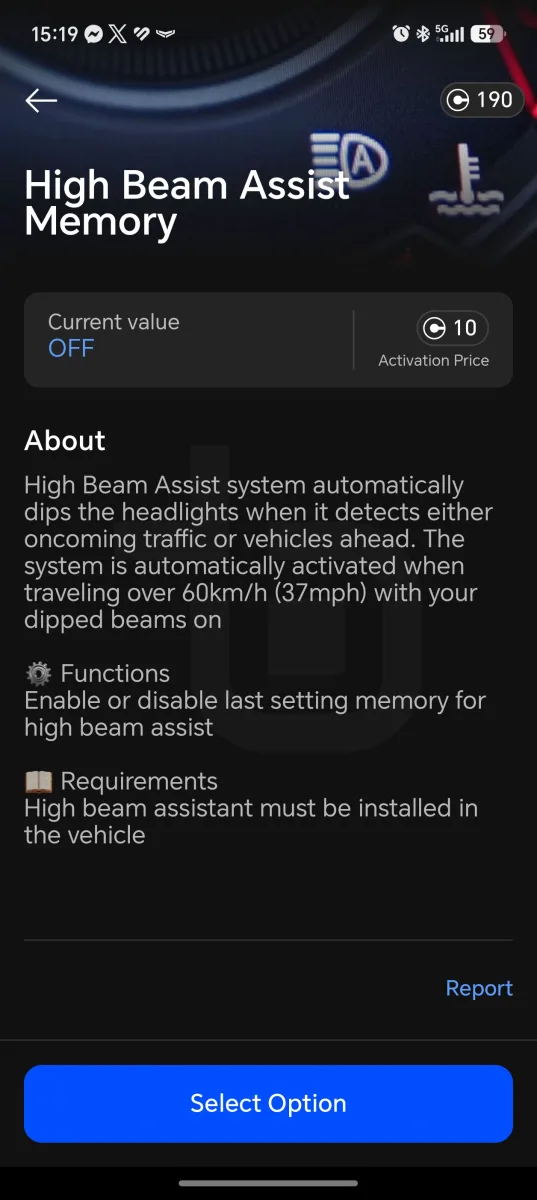
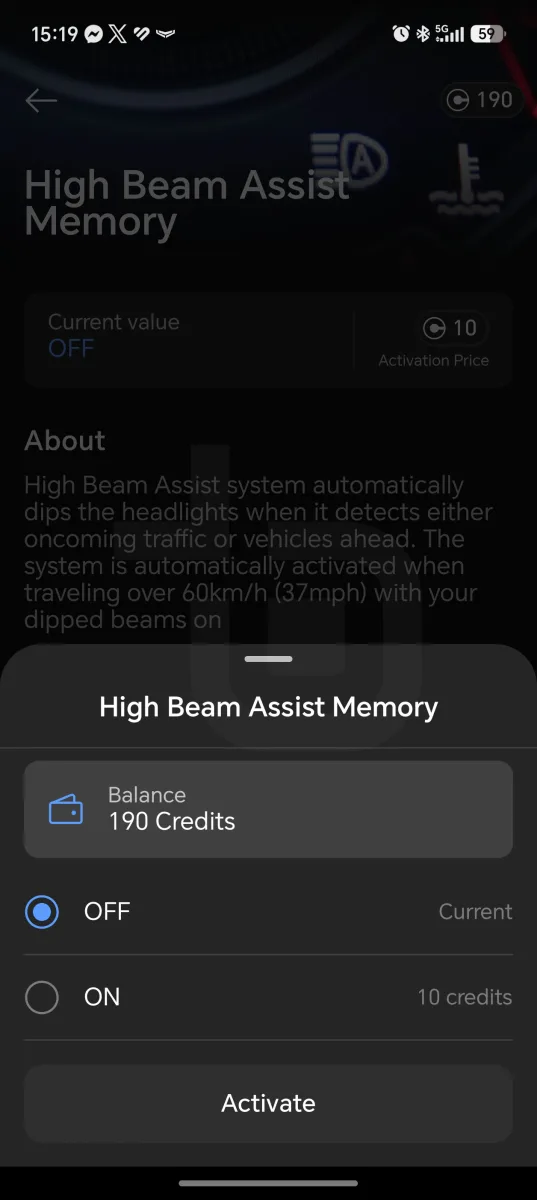
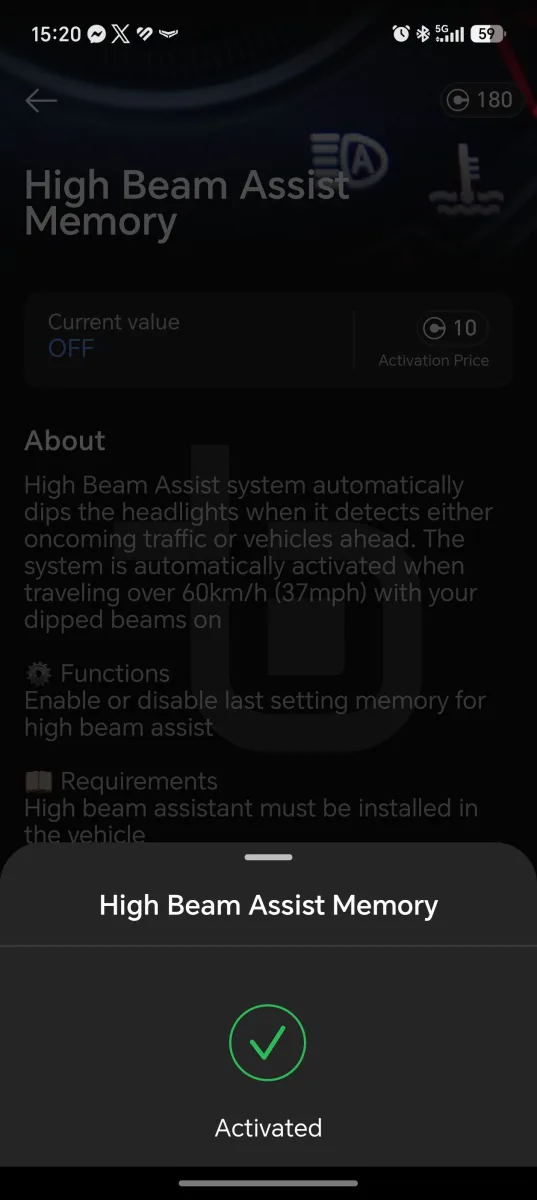
Using the One-Click Apps is straightforward: simply select one from the list, start the car, open the bonnet, and run the app. Within a few minutes the feature is available in the car.
Specifically for the VAG group — VW, Audi, Škoda, Cupra, Seat — it is possible to perform specific coding and adaptations: making specific changes within a control unit (enabling daytime running lights, changing dashboards, etc.) and modifying specific numerical channels or operational parameters of a control module (adjusting light/rain sensor sensitivity, changing the volume of the electric tailgate warning chime, etc.).
Essentially, it allows fine-tuning through code what the One-Click Apps do automatically.
Real-time data
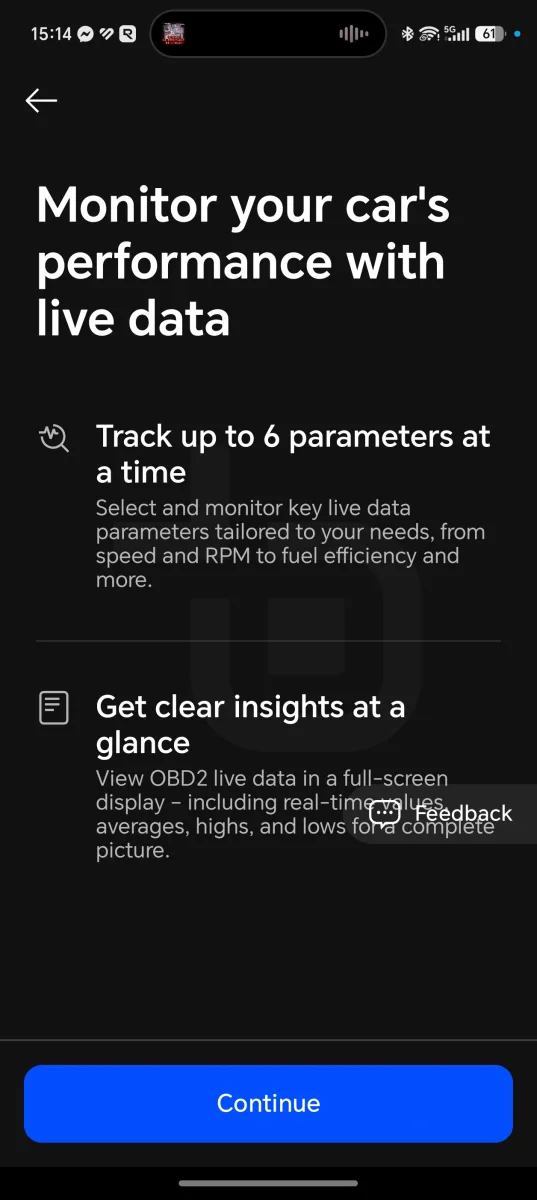
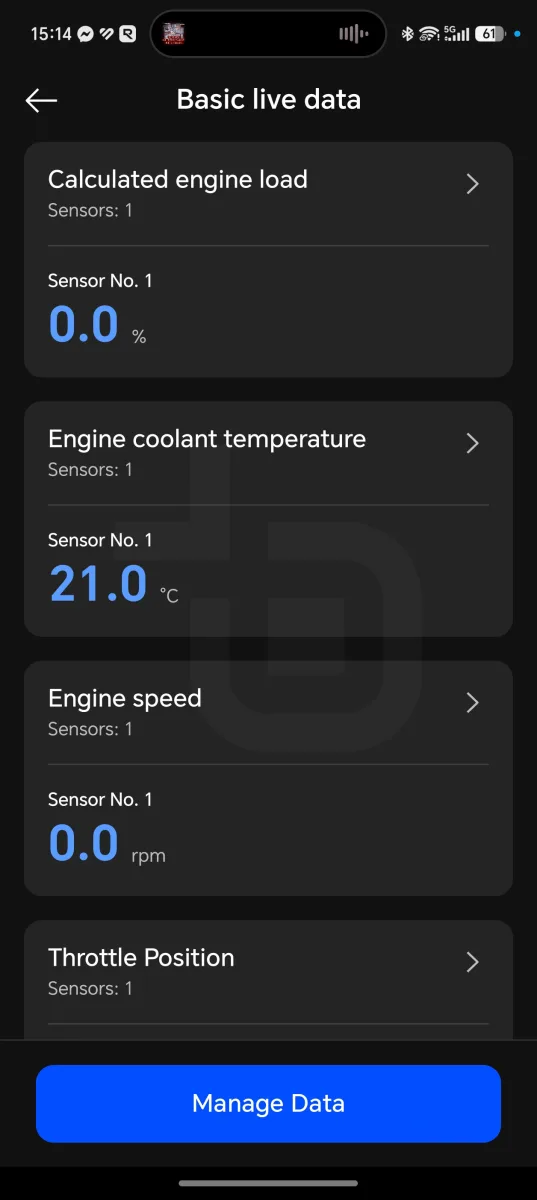
The OBDeleven 3 also allows real-time data monitoring to track various metrics while driving.
A dashboard can be created with up to six parameters at a time — speed, fuel consumption, RPM, and more.
Data can be displayed as real-time values, averages, maximum values, or minimum values.
The available data varies by car and depends on the sensors and measurements it is capable of making.
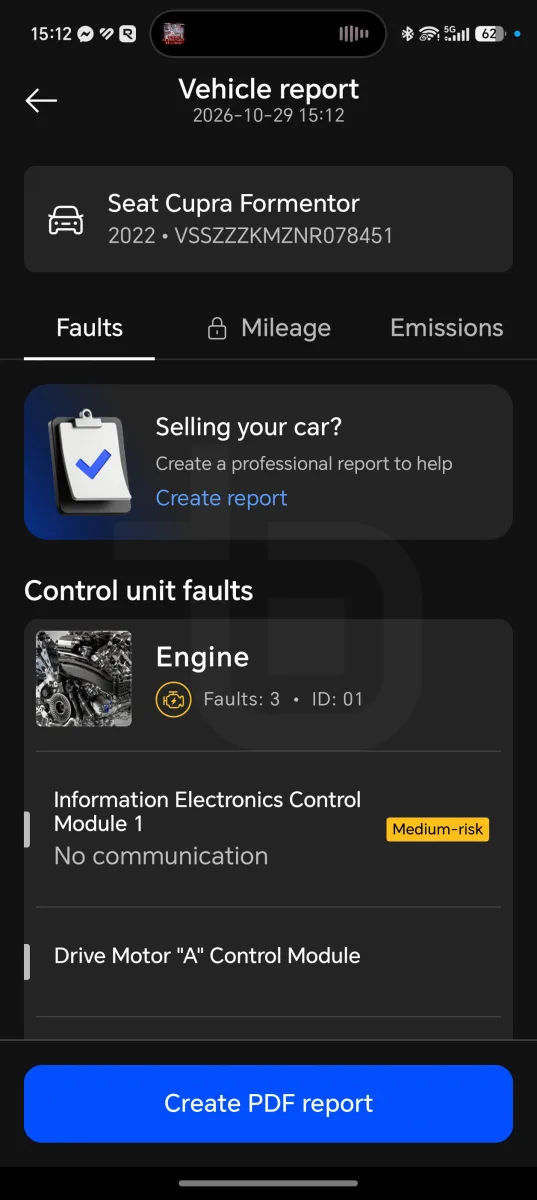
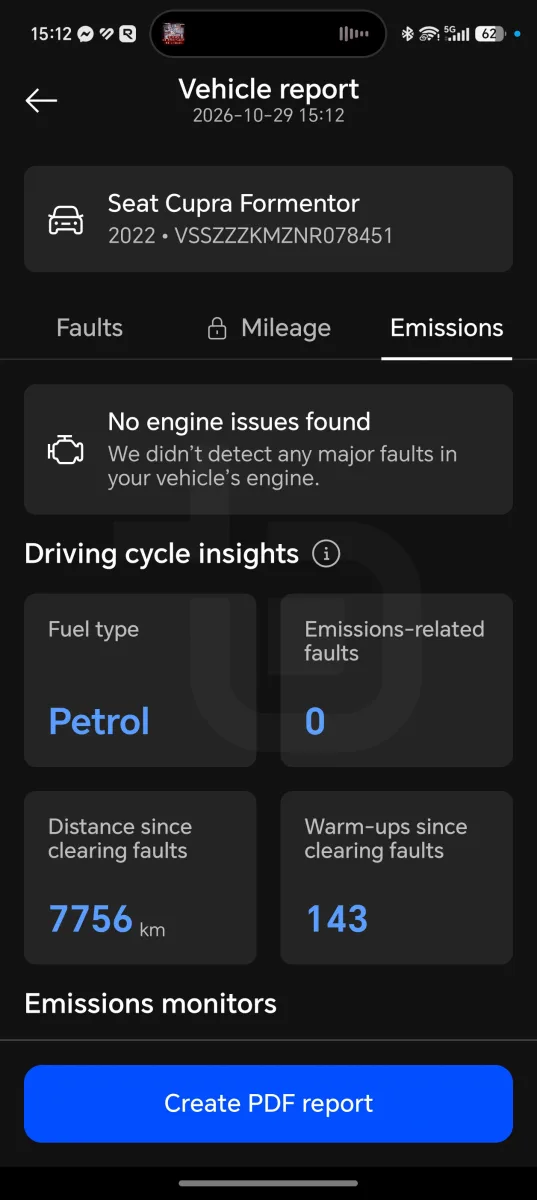
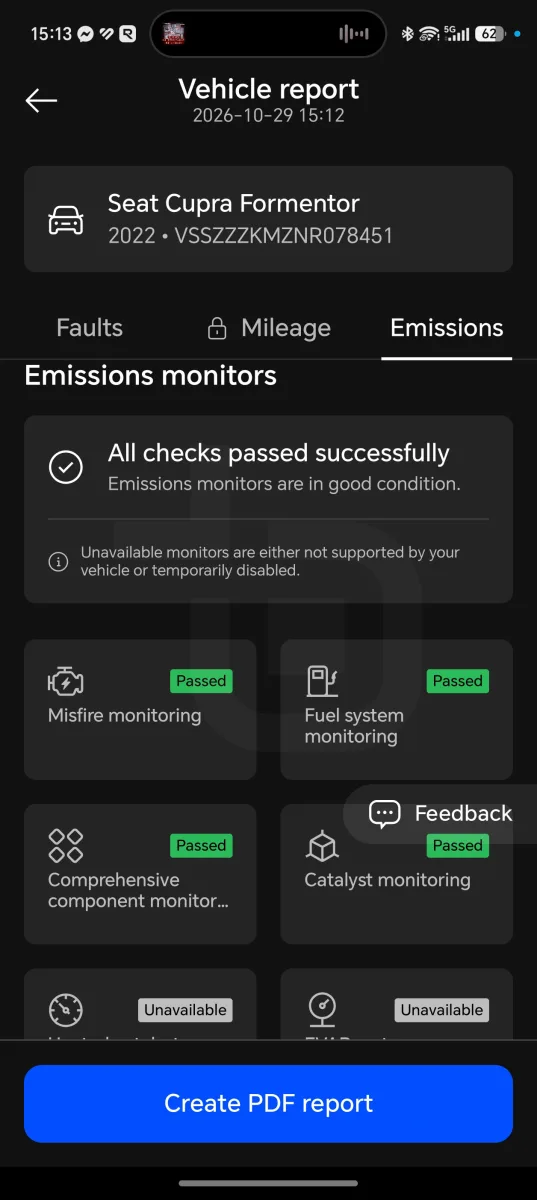
Mileage verification and accident history
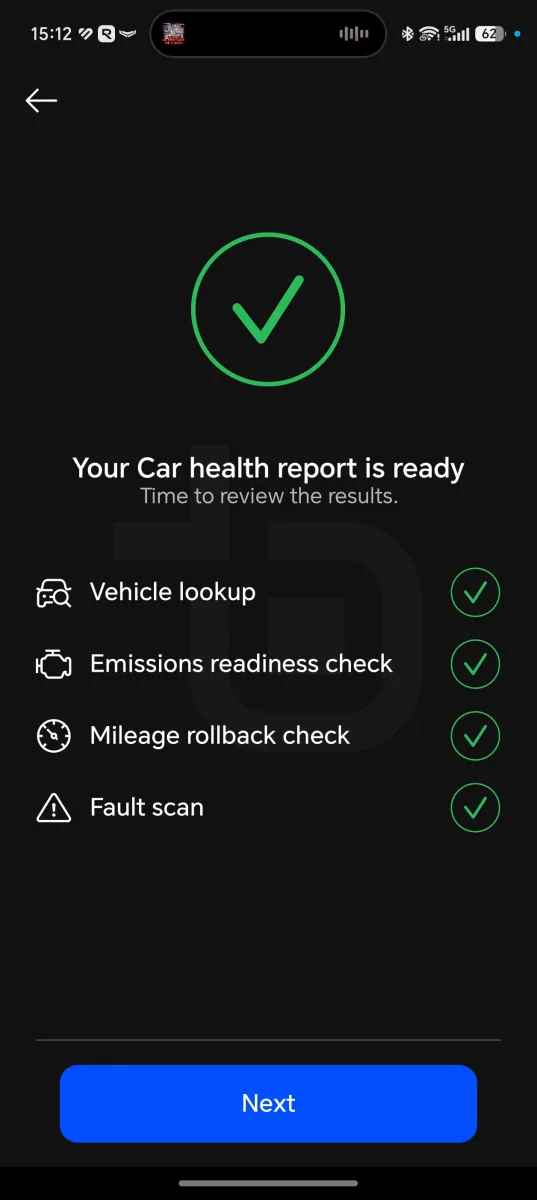
Another feature the OBDeleven 3 offers is the ability to inspect a car to help when buying a used vehicle.
The device reads faults, verifies that the recorded mileage matches across all components, and provides a guide for the manual inspection of used cars.
There is also a new feature, currently in beta, that reads ECU data to check for any accident records.
Battery check for electric and hybrid cars
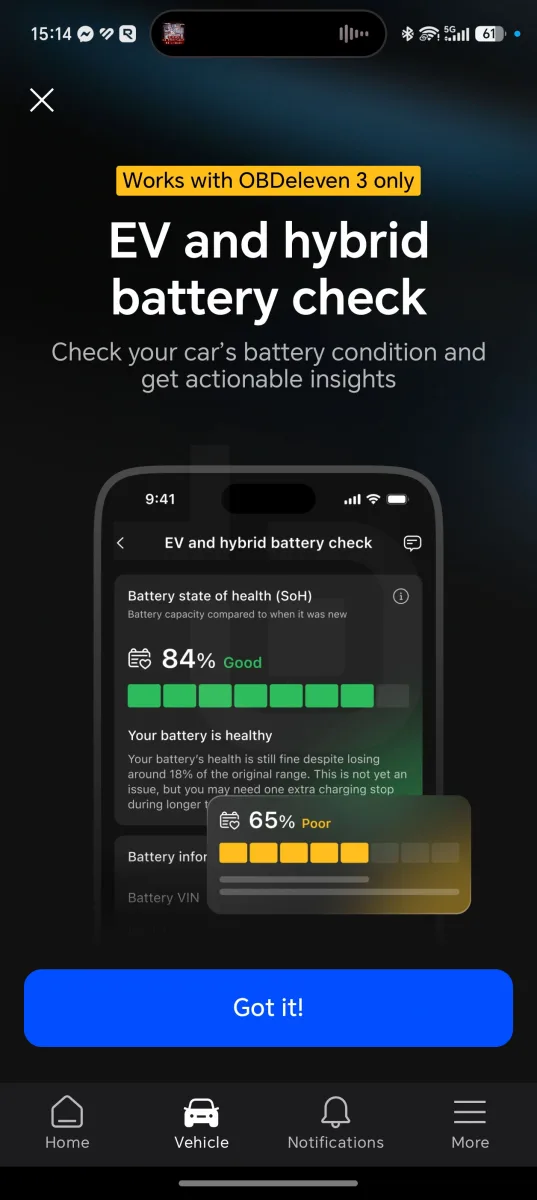
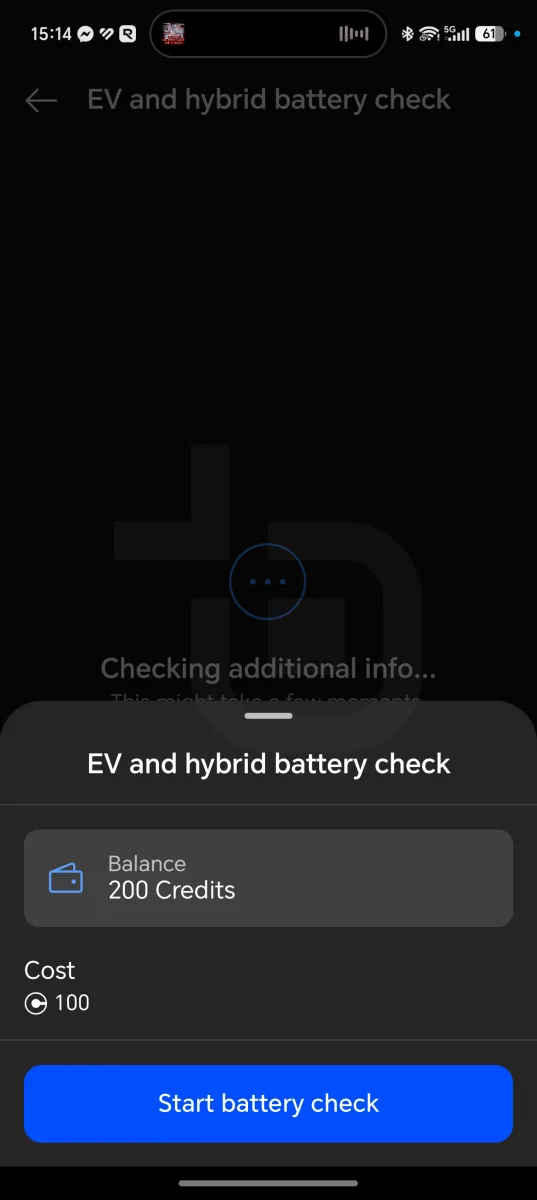
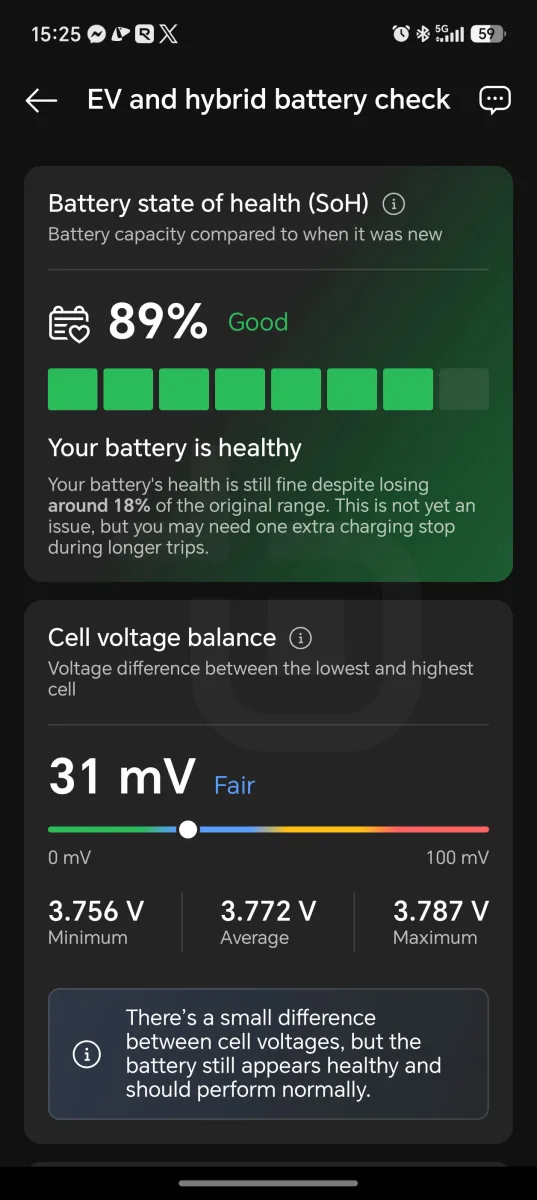
For those who own electric or hybrid cars, or are considering buying one, it is also possible to check the battery’s state of health so you know what you are buying or how your car is performing.
This test does, however, carry a high cost of 100 credits.
Comparison with similar cars in Portugal and worldwide
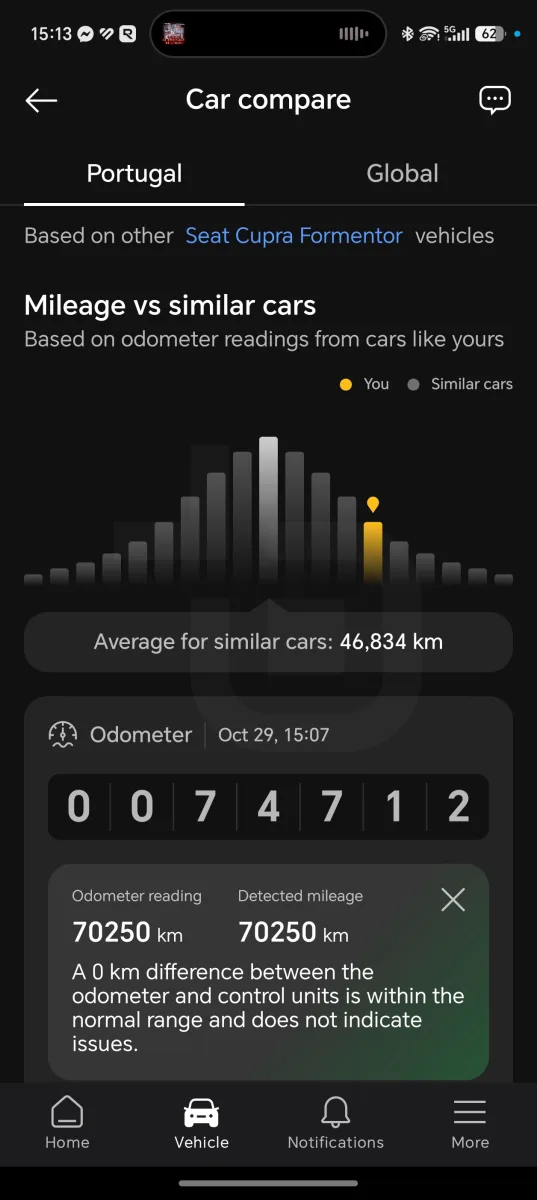
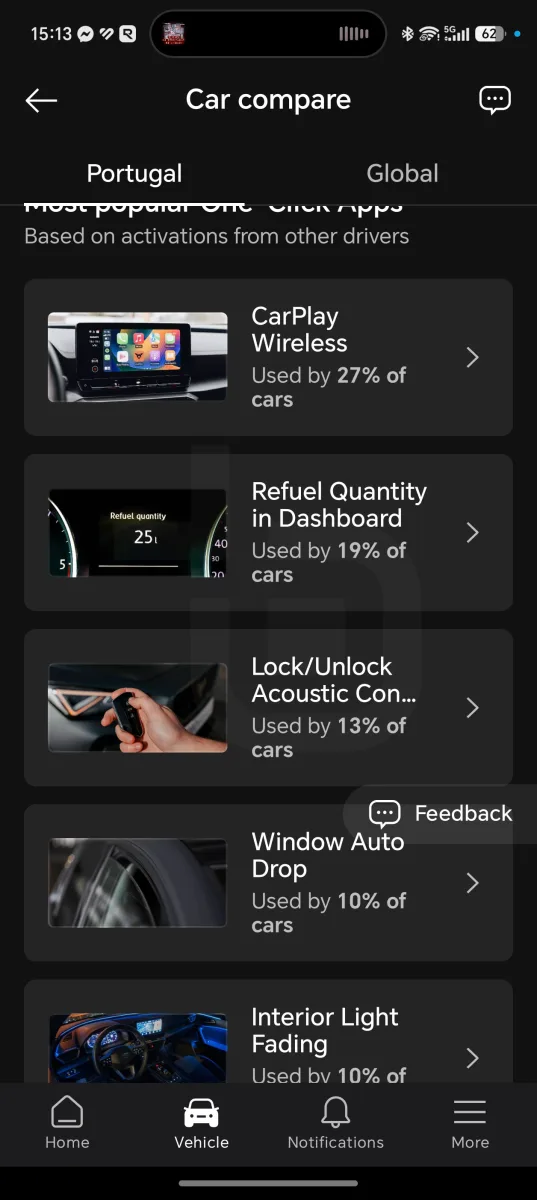
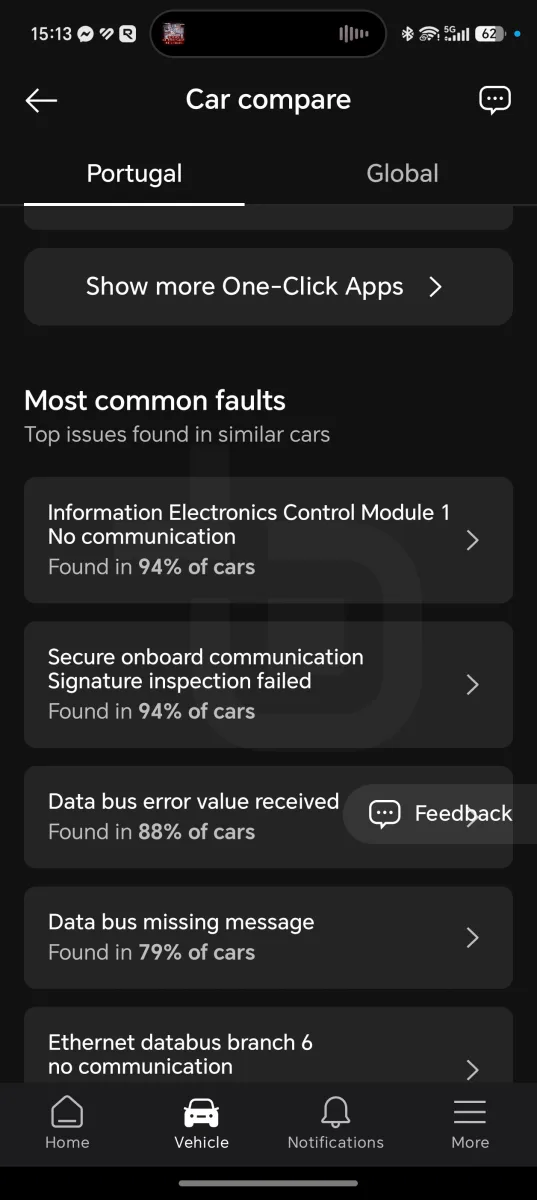
Based on your car’s data, you can also see how it compares in terms of mileage against similar cars in Portugal and worldwide, as well as the most used One-Click Apps for your vehicle and the most common faults.
Maintenance alerts
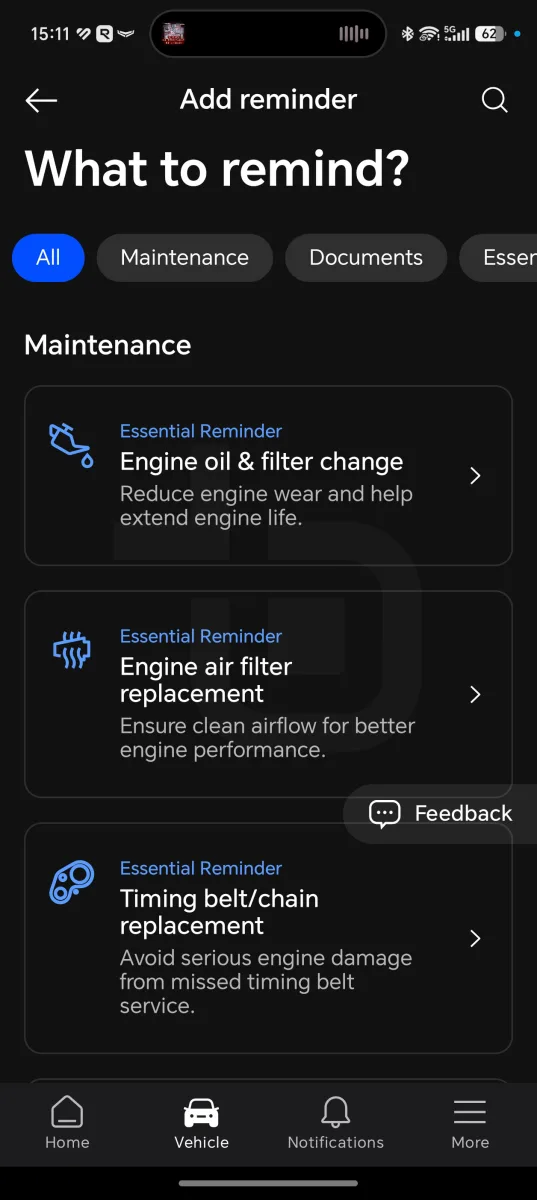
To help with timely maintenance, alerts can be set up for part replacements.
You can log the last time oil, belts, filters, and other components were changed to receive a notification when it is time to change them again — using time, mileage, or both criteria, triggered by whichever comes first.
Trip tracker
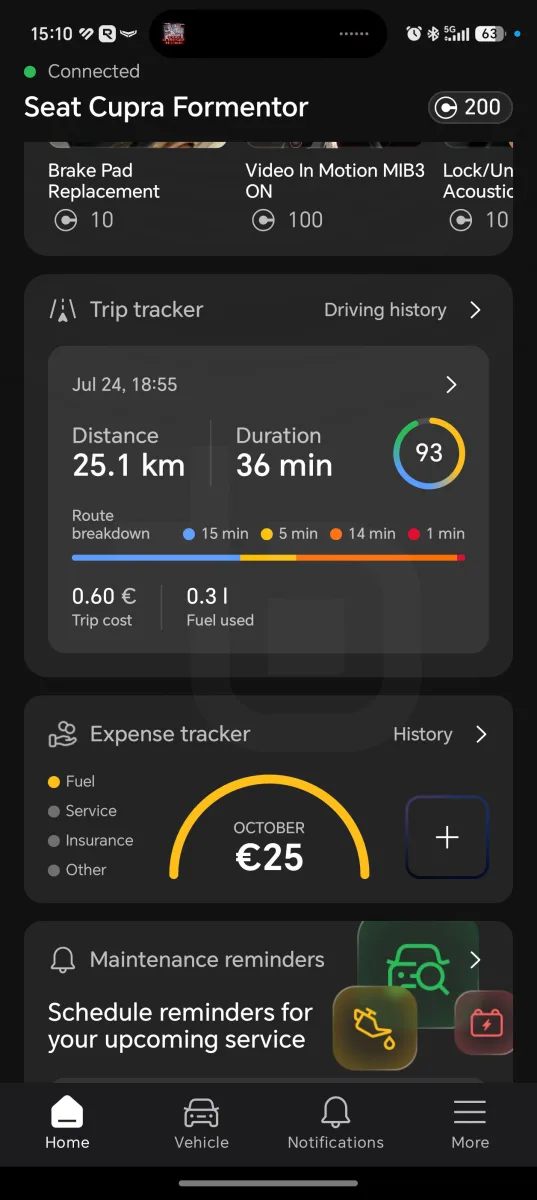
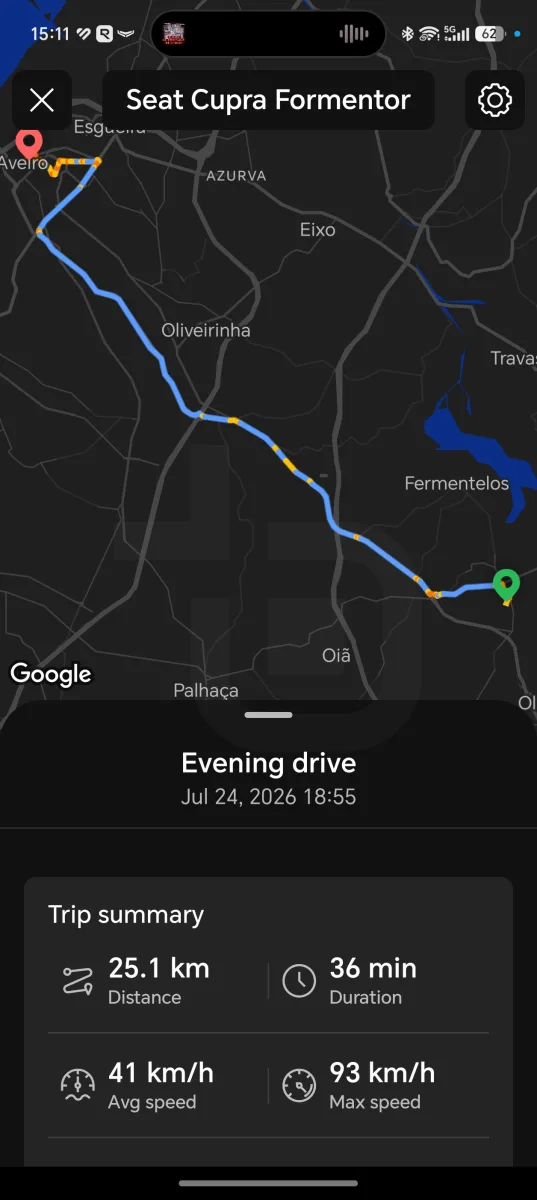
To analyse your driving, the trip tracker can be enabled — it uses a combination of OBDeleven data and the smartphone to score your driving and provide statistics on costs and consumption.
Each trip is given a score from 0 to 100, with the route recorded, total distance, duration, average and maximum speed, maximum altitude, and altitude change over the journey.
There is also a driving analysis section that logs time spent at normal speed, slow speed, in congested traffic, and stationary.
The driving score is built from hard braking, sudden acceleration, and speed variation, with individual and overall scores.
Fuel used and estimated cost are also shown, based on the consumption and fuel price you enter. However, it does not account for electric motors, which may skew the results for electric or hybrid cars running on electricity only.
Expense tracking
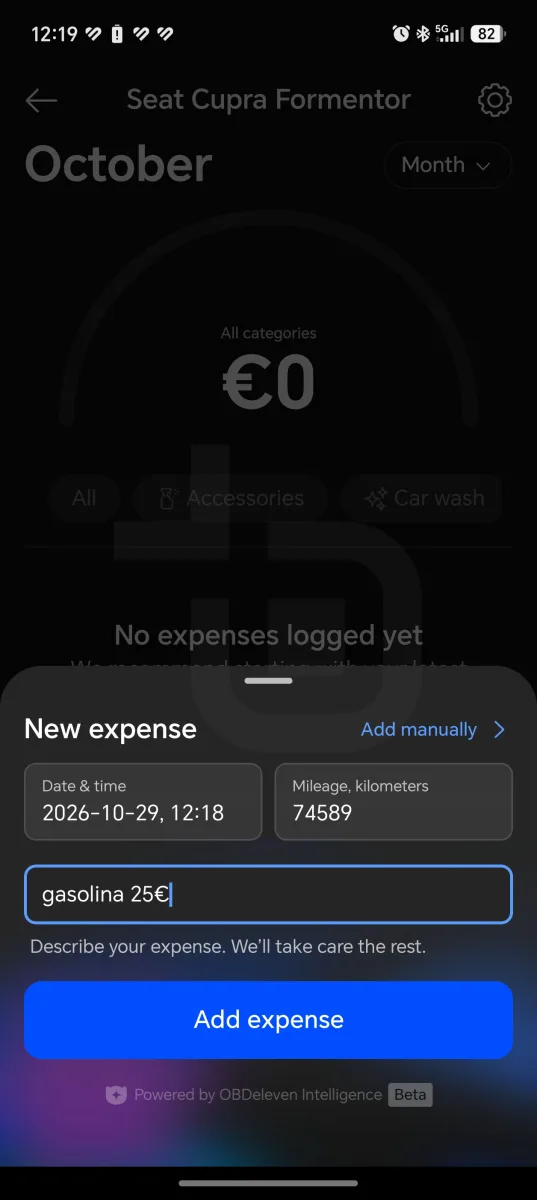
To keep track of car-related costs, there is now a new feature for logging all expenses.
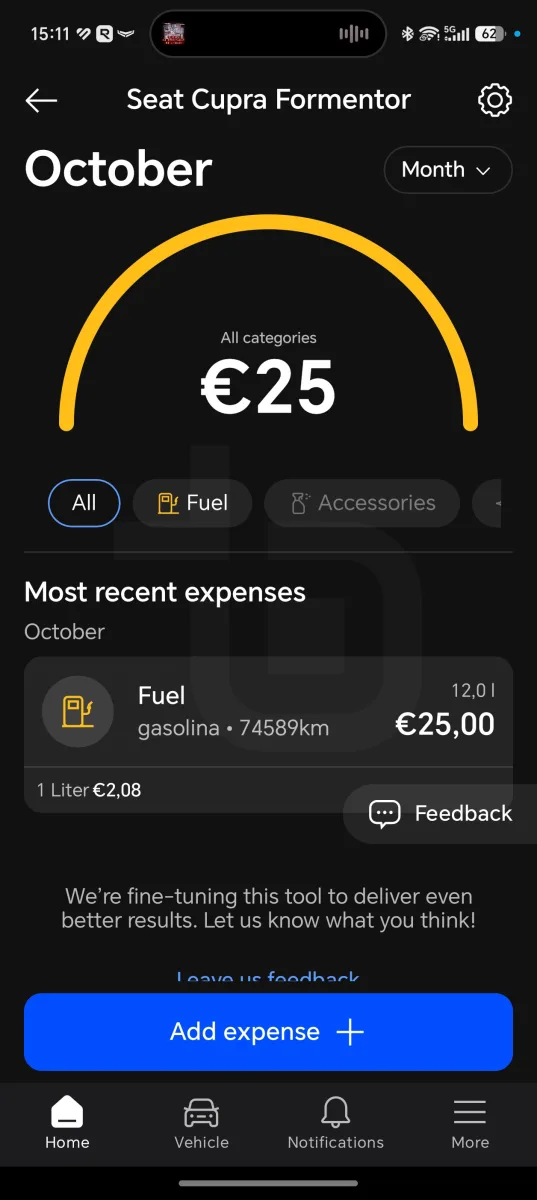
This feature uses OBDeleven Intelligence — the AI-powered functionality — and lets you enter the expense, quantity, and amount in natural language, with the date, time, and mileage automatically recorded.
For example, you can say you added 12 litres of petrol for €25 and the app automatically calculates the price per litre and categorises the expense. This works for insurance, vehicle tax, fuel, car washes, maintenance, and various other types of cost.
This allows you to build a spending history with monthly, quarterly, half-yearly, annual, or cumulative breakdowns from when you started tracking.
Connection to the car’s proprietary apps
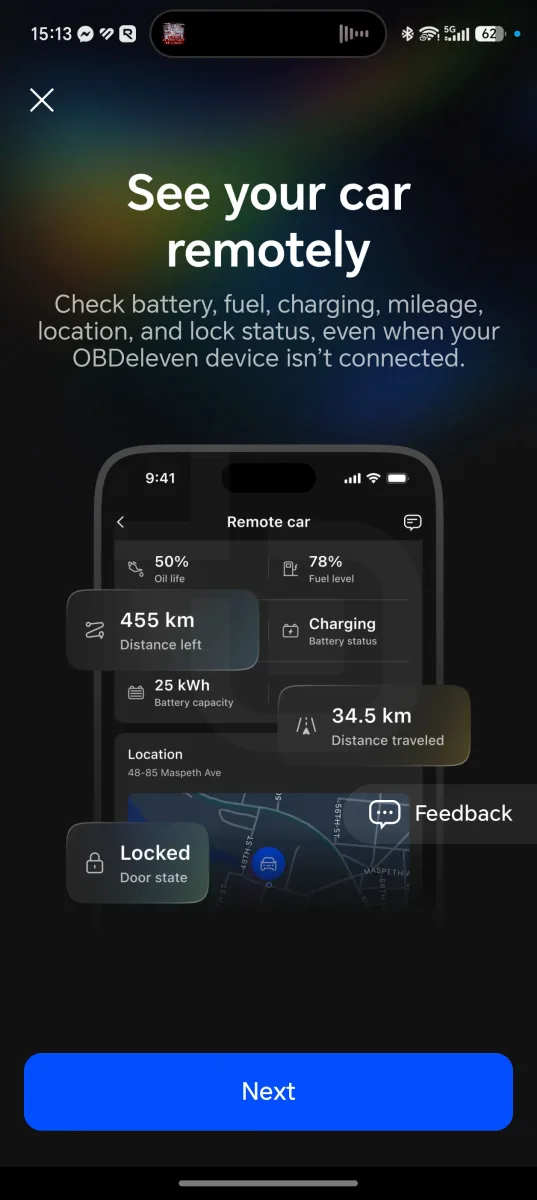
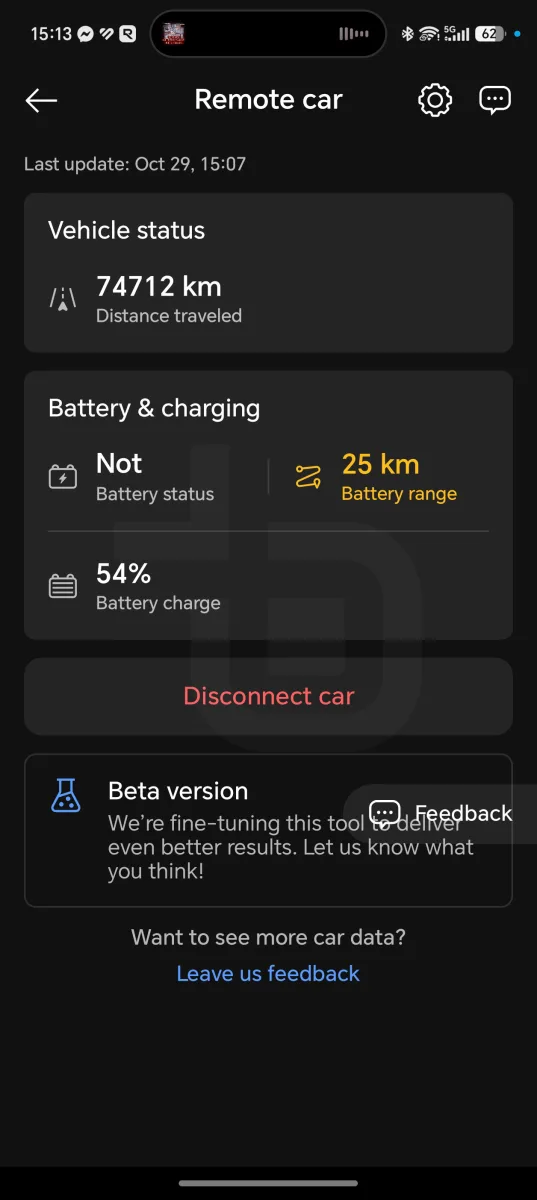
For more refined control of the car’s data, the OBDeleven account and app can be linked to the car’s official brand app.
This feature is still in beta, but it increases the level of information available — allowing you to see whether the car is locked or unlocked, its current range, and its exact location.
The data available depends on the car and what the brand’s app shares.
Credits and subscriptions
The OBDeleven 3 works without any subscription — the device alone is enough to read and clear faults, view real-time data, or use the trip tracker. One-Click Apps run on separately purchased credits, and manual coding requires a PRO or ULTIMATE plan.
The device and bundles with credits or plans cost:
| Product | Price |
|---|---|
| OBDeleven 3 (device) | €84.99 |
| OBDeleven 3 + 200 Credits | €91.99 |
| OBDeleven 3 + 500 Credits | €127.98 |
| OBDeleven 3 PRO Pack: device, 12-month PRO plan, and 100 credits | €139.99 |
| OBDeleven 3 ULTIMATE Pack: device, 12-month ULTIMATE plan, magnetic phone mount, and carrying case | €207.99 |
The credit packs and the ULTIMATE currently have an exclusive 20% discount, bringing the price down to €91.99 (200 credits), €127.98 (500 credits), and €207.99 (ULTIMATE).
Those who already have the device can purchase plans and credits separately:
| Product | Price |
|---|---|
| PRO plan (12 months) | €59.99 |
| ULTIMATE plan (12 months) | €189.99 |
| 10 credits | €1.99 (€0.20 per credit) |
| 100 credits | €17.99 (€0.18 per credit) |
| 500 credits | €74.99 (€0.15 per credit) |
The more credits purchased at once, the lower the per-credit cost — from €0.20 for 10 credits down to €0.15 for 500.
For those who use many One-Click Apps, the ULTIMATE plan may make more sense. It is worth noting that the EV and hybrid battery test costs 100 credits, which amounts to around €15 to €18.
Limitations and compatibility
The OBDeleven 3 does not work the same way in all cars and all markets, and it is worth understanding the limitations before buying.
The full experience — with advanced diagnostics across all systems, One-Click Apps, and coding — is reserved for officially licensed groups: Volkswagen (VW, Audi, Škoda, Cupra, and Seat), BMW (BMW, MINI, and Rolls-Royce), Toyota (Toyota and Lexus), Ford, and Mercedes-Benz. For other brands, the device is limited to generic OBD2 diagnostics — engine and transmission fault reading and real-time data — provided the car uses the CAN-bus protocol and was manufactured from 2008 onwards.

Even among supported brands, there are restrictions. Volkswagen Group cars from 2024 onwards with the SFD2 security system are not, for now, supported. On more recent BMW models from 2024 onwards, some features may be limited. Ford support applies only to vehicles manufactured in the USA. In Portugal, advanced diagnostics and One-Click Apps are available for BMW, Toyota, and Mercedes-Benz, and Volkswagen Group coverage is worldwide, with the exception of China.
Manual coding and adaptations — which give access to SFD-locked features — require the PRO or ULTIMATE plan, and One-Click Apps run on credits. This means the real cost of use goes beyond the €84.99 device price, which is worth bearing in mind for anyone looking to unlock multiple features.
Another limitation is the false positives in diagnostics, which require some judgement to distinguish what is urgent from what is not. And there is the already-mentioned risk that software changes may affect the warranty, particularly on newer cars.
Who is the OBDeleven 3 for?
The OBDeleven 3 is aimed at Volkswagen Group car owners who want to access factory-hidden features and make small customisations without visiting a garage. It is also a good option for those who want to understand what a warning light means before heading to a mechanic, and for anyone thinking about buying a used car who wants to check faults, mileage, and any accident records.
For BMW, Toyota, and Mercedes-Benz owners, it is most useful for advanced diagnostics and One-Click Apps. The companion features — trip tracker, expense logging, and maintenance alerts — are useful for any driver.
It is not the best choice for those driving a brand without official support, where it is limited to basic diagnostics, nor for owners of 2024 Volkswagen Group vehicles with SFD2. Those who prefer not to touch the car’s software, or are concerned about voiding their warranty, should also think twice.
Verdict
The OBDeleven 3 is a very comprehensive tool that brings to your smartphone what previously required a garage visit. On the Cupra Formentor, fault reading with explanations, One-Click Apps, and coding all work simply and intuitively, and the app is easy to use even for those without a technical background.
The official brand licences are a strong point, as they give access to all vehicle systems and not just the engine. The extras — trip tracker, AI-powered expense logging, maintenance alerts, and used car inspection — add value well beyond the diagnostic side.
The main downside is the cost model. The device costs €84.99, but unlocking features requires credits, and coding requires a plan. There are also false positives in the fault scan and compatibility limitations — notably VAG cars from 2024 with SFD2.
For a VAG car owner who enjoys personalising their vehicle, it is a very compelling purchase — as long as the limitations and additional costs are understood upfront.
The OBDeleven 3 is available for €84.99, with a bundle option including 100 credits and a Pro plan for €139.99, the Pro plan with 200 credits for €159, or the Ultimate pack with an Ultimate licence and some accessories for €207.

- Official licence for several brands with access to all car systems
- One-Click Apps easy to use
- Used-car inspection and mileage verification
- Advanced features depend on credits or paid plans
- Brands without a licence are limited to basic
OBDeleven 3 FAQ
What is the OBDeleven 3?
It is a Bluetooth device that plugs into the car’s OBD2 port and allows you to run diagnostics, clear faults, view real-time data, and unlock hidden features from your smartphone. It costs €84.99.
Does the OBDeleven 3 work with my car?
It has full support for the Volkswagen Group, BMW, Toyota, Ford (US only), and Mercedes-Benz. For other brands, it only performs basic OBD2 diagnostics on CAN-bus cars from 2008 onwards.
Does it work on 2024 VAG cars?
Models from 2024 onwards with the SFD2 system are not, for now, supported.
Do I need a subscription?
Not for reading and clearing faults or using the trip tracker. One-Click Apps use credits, and manual coding requires the PRO or ULTIMATE plan.
How much do credits cost?
200 credits cost €39.00 and 500 credits cost €89.00, working out to between €0.15 and €0.20 per credit.
Can it affect the warranty?
Software changes can, in theory, be detected by the dealership. Most One-Click Apps make reversible adjustments, but it is worth understanding what is being changed.
Does it work with Android and iPhone?
Yes — with Android 8.0 or above, iOS 16.6 or above, and HarmonyOS.
What is the price of the OBDeleven 3?
The device costs €84.99, with bundles including credits or plans from €114.99.
Sobre o autor

Aproveite a campanha:


