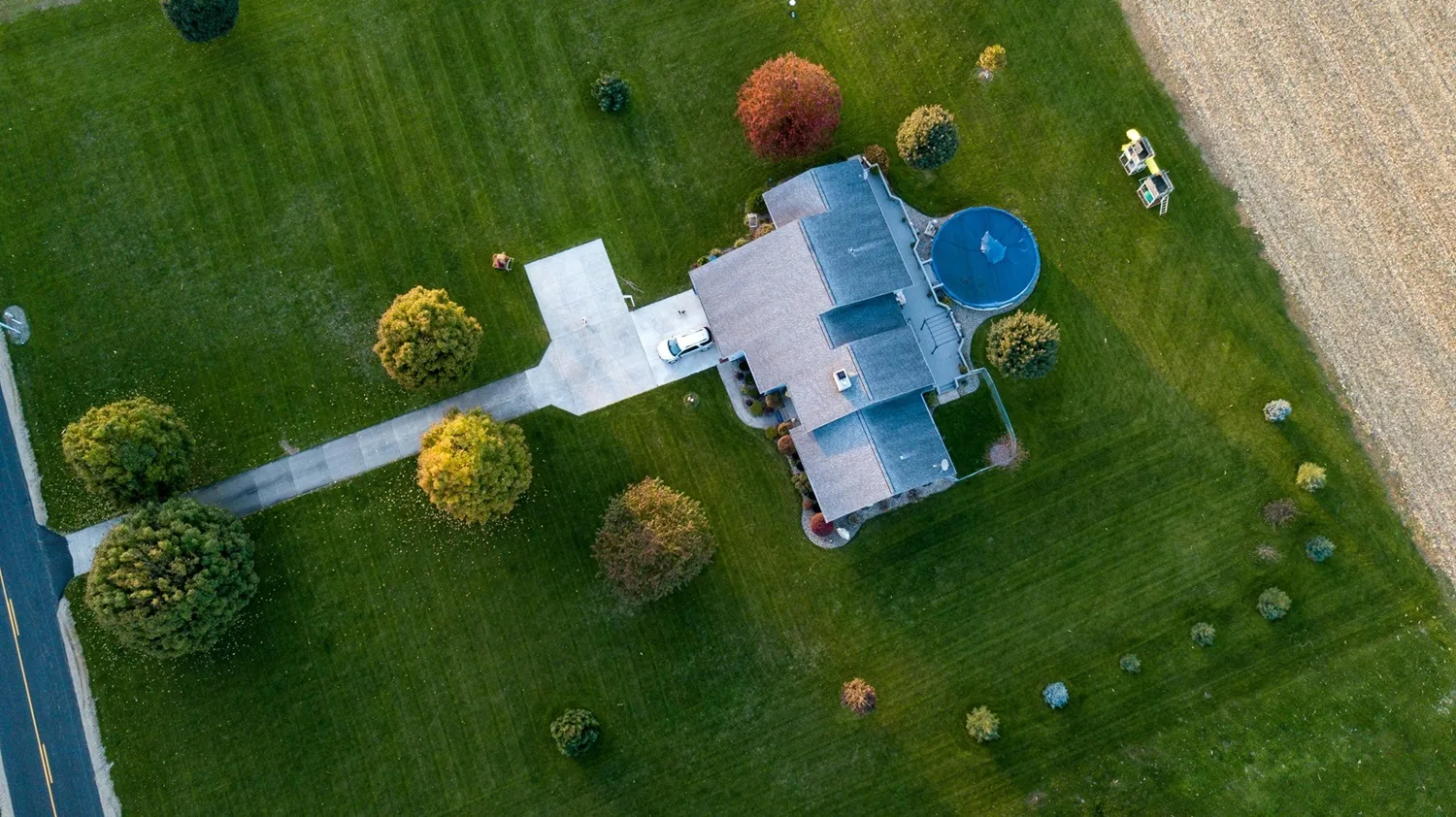
Summer comes around and we want our outdoor spaces to always look immaculate when welcoming friends and family.
For anyone with a lawn, this is a time when mowing becomes a routine, something needed almost every weekend.
 Fonte preferida
For those looking for a way to automate this process, there is a growing market of robotic lawn mowers that take care of this task for us.
Until recently, most solutions required burying boundary wires so the robot knew where to go and where not to go. Brands like ANTHBOT are now actively working to offer fully wireless, autonomous solutions.
Over the past few weeks we had the opportunity to test the ANTHBOT Genie 800, one of the Chinese company’s most mature and reliable devices.
Aproveite a campanha:

Here is our experience and verdict on this device that will make maintaining your outdoor green spaces much easier.

ANTHBOT Genie 800 Review — A robot that mows your lawn autonomously and wire-free
The ANTHBOT Genie 800 is a wireless robotic lawn mower that promises to radically simplify garden maintenance.
With no need to bury boundary wires, installation in around 10 minutes, and the ability to cover up to 1500m² with a recommended area of 800m², it positions itself as a balanced solution for anyone who wants a well-kept garden without dedicating weekends to the task.
What sets the ANTHBOT Genie 800 apart from most conventional robotic lawn mowers is the combination of full-band RTK technology with access to 155 proprietary satellites and four AI cameras providing a 300-degree field of view and detection of more than 1000 types of obstacles, from pets to garden furniture.

The integrated 4G connectivity enables remote control and real-time status updates via the ANTHBOT app, even when you are away from home and without depending on the garden’s WiFi network.
The five-blade cutting disc covers a width of 20cm with adjustable height between 30 and 70mm, and the robot handles slopes of up to 40 to 45% on dry terrain, making it suitable for gardens with some elevation.
With a 4000mAh battery, the ANTHBOT Genie 800 works in cycles of around one hour of mowing followed by automatic charging at the base, returning to work until the entire mapped zone is complete.

The IPX6 certification guarantees water resistance for cleaning and use in wet conditions, and the noise level of between 40 and 60 dB makes it quiet enough to work without causing a disturbance.
As for the price, the ANTHBOT Genie 800 is available for €1,099, with an automatic €200 discount on purchases over €1,000, bringing this device down to €899.
Who it is for
The ANTHBOT Genie 800 is primarily aimed at homeowners with a medium-sized garden, between 400 and 800 square metres of lawn, who want to fully automate lawn maintenance without the work and complexity of installing boundary wires.
It is a solution for those who value their free time and would rather have their garden kept autonomously than spend weekends mowing the lawn.
For anyone with a more complex garden — such as areas separated by paths, flower beds, or spaces with fixed obstacles like trees, swings, or outdoor furniture — the Genie 800 offers a genuinely capable response, with support for 20 distinct zones, customisable no-go areas, and AI-based obstacle detection.
The presence of pets in the garden is not a problem either, as the system effectively identifies and avoids dogs, cats, and other animals.

For those who travel frequently or spend long periods away from home, 4G connectivity is a genuinely differentiating argument. It allows monitoring of the robot’s status, adjusting schedules, and checking mowing progress in real time from anywhere, without needing to be connected to the home WiFi network.
For those with very large gardens, above 1000 square metres of continuous lawn, it makes sense to look at more capable models such as the Genie 1000 or the Genie 3000.
For anyone who has never used a robotic lawn mower and is taking their first steps in this category, the Genie 800 is one of the most interesting propositions in terms of installation and daily use in the wireless segment, especially when compared to competing solutions that require days of work burying boundary cables before you can even start using the device.
Design and build quality
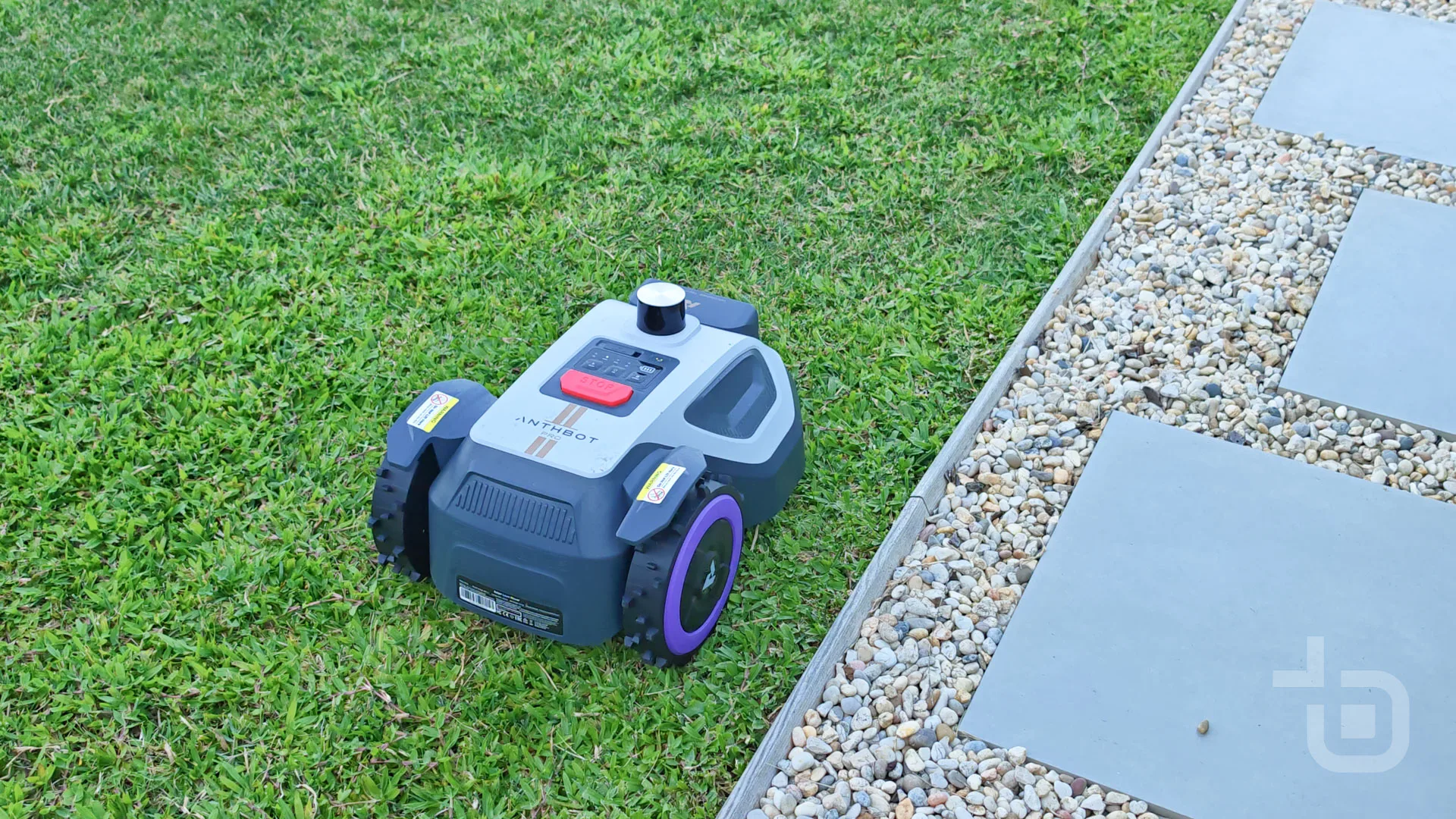
The ANTHBOT Genie 800 is a robotic lawn mower built from rigid, durable plastic, designed to be used continuously in outdoor environments.
It has a simple, minimalist design with a selection of neutral colours (light and dark grey) that blend well into any space.

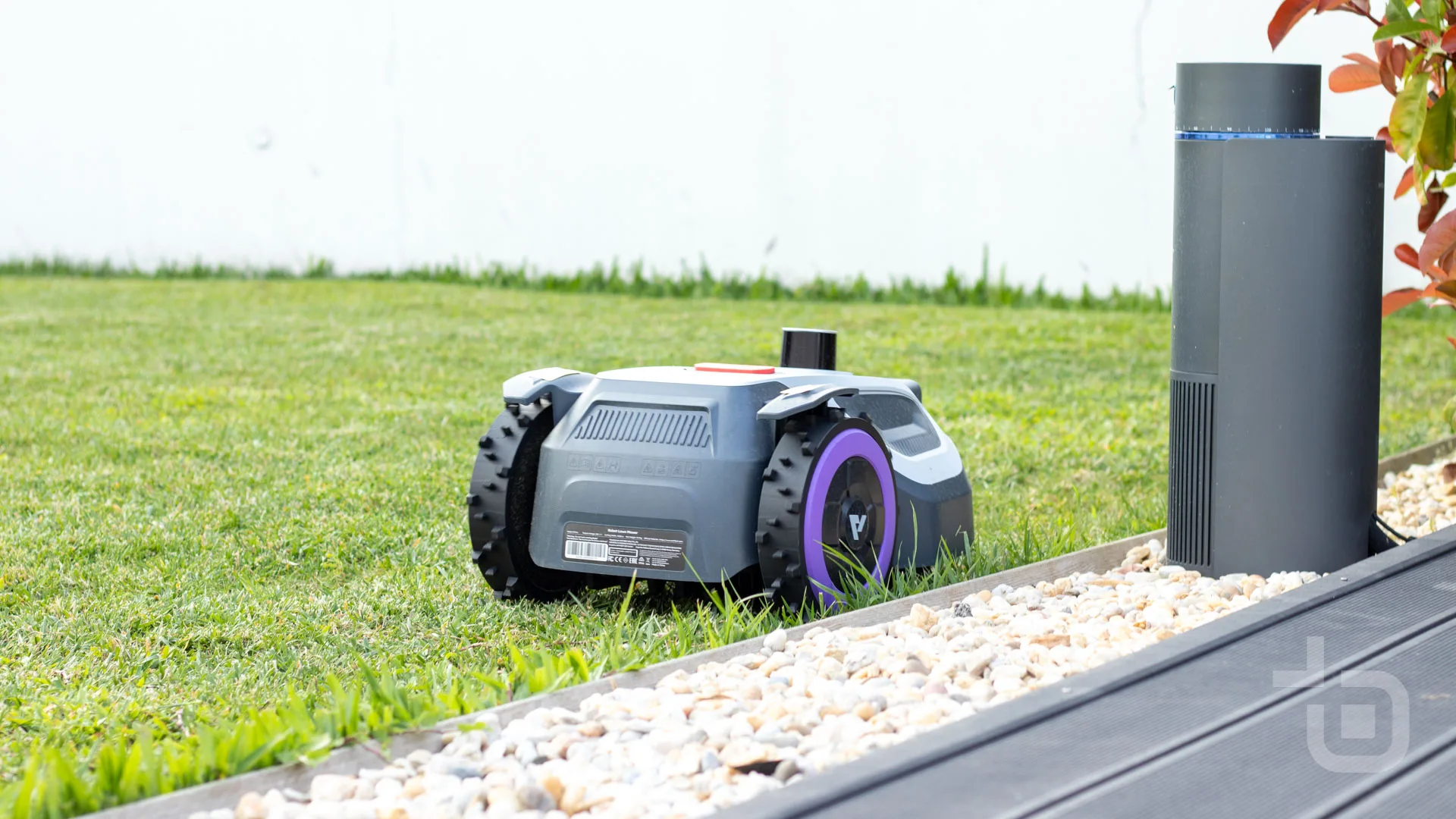
In terms of dimensions it is not the most compact in the range, measuring 63x41x27 cm and weighing 12.5 kg. While not light, it can be repositioned and carried by hand, with a handle on the underside for this purpose.

At the front, we have 2 cameras grouped together to help with navigation and obstacle recognition, an LED flash, and, lower down, the connectors for charging at the base.

On both the right and left sides there are two more cameras, one on each side, also helping with recognition of the surrounding area.

On top, we have a small screen showing some status information, a stop button, and three action buttons that allow starting/stopping the operation and entering the PIN code to unlock the robot.

The rear wheels are larger than the front ones and feature tread-like ridges to move more easily across soil.

Underneath, we have the blade area in a circular arrangement that cuts the lawn.

Accompanying the ANTHBOT Genie 800 is a base station with a very simple look, comprising a ramp and a connection/charging tower for the robot. It is built from rigid black plastic.

It has two socket-like connectors to charge the ANTHBOT Genie 800.

Finally, there is also an RTK tower, with a fork-like base to be placed in the ground, a steel tube to add height, and a circular top with a status LED in the centre, also made of rigid light-coloured plastic.

Installation and setup
Installing and setting up the ANTHBOT Genie 800 is quite simple, taking only around 10 to 15 minutes to have the robot operational.
We start by placing the base on a stable, flat area with about 2 metres of clear space in all directions. Ideally it should be placed on the lawn — the box includes plastic pegs to fix it to the ground. In our case, however, we opted to place it on a paved area with access to the lawn. We did not fix it to the ground, but with it leaning against a wall we did not feel the need to.

Next, it is time to fix the RTK antenna. The box includes a fork-like base support for placing in the ground, though there are optional accessories available for wall mounting.

It is recommended to place it close to the base, although there is enough cable in the box to install it a few metres away if there is no option to place it nearby.

Once these elements are in place, it is time to connect the cable between the RTK antenna and the base, and then the base’s power cable. Both cables are several metres long and are rated for outdoor use, giving some flexibility to find the best location.
For the robot to become operational, two conditions need to be met. First, the RTK antenna must stabilise its satellite connection, which can be verified by the green LED becoming steady.

Second, the ANTHBOT Genie 800 itself must lock the GPS — that is, the GPS icon on the screen must stop flashing and become steady.
This means you may need to try different locations for the installation, as it is not guaranteed to work in the first spot you had in mind, since it requires a reasonably clear area to establish the connection.
In our case, it was only in a second location that we managed to stabilise both conditions.
Finally, you simply place the robot on the charging base.

With the physical setup complete, it is time to install the ANTHBOT app, create an account, and pair the robot with the app.
Mapping and zone management
Once pairing is done, it is time to start mapping the areas we want to mow.
This can be done manually, using the joysticks for remote control to trace the perimeter of the area to be cut, or we can opt for the “Auto” button to let the mapping happen automatically.
We tested both methods and found the automatic one works very well, with good identification of obstacles and boundaries — it is the best way to create the virtual map.


As well as creating up to 20 different zones, we can also create a route map between different areas — for example, when there is a garden at the back of the house and another at the front, with a passable area between them.
Once the map is created, we can set up no-go zones, either using the same remote control system or by drawing a selection box on the virtual map.
With the various zones created, you can choose which zone to mow and create specific schedules for each space.
ANTHBOT app
All mapping and subsequent control is handled through the ANTHBOT app.
When we open the app, we are immediately greeted by the virtual map with battery information and the robot’s operational status (should you want to follow the mowing in real time), as well as the controls to start a mowing session.


You can choose to mow all zones, select a specific zone to mow, cut only the borders, or pick a specific location on the virtual map to mow.
We can also make changes to the map and create exclusion zones.
Moving into the menu, we find other settings options.
We start with the mowing schedule, followed by the intelligent mowing system. This feature adjusts the mowing strategy automatically according to grass growth, although it was one feature that did not work as expected. We set the initial mowing day — a Friday, which was completed successfully — but the next scheduled session was never updated, leaving the robot idle until the following Friday.


We can also enable mowing around the charging base, access the mowing history, and activate a do-not-disturb mode that can be set to a custom schedule.


We also find an option to delay mowing when it rains, a mode to detect issues with the camera lenses, and the ability to customise object detection sensitivity.
We can also set an anti-theft alarm or activate maintenance modes.


Finally, there is also a remote control mode if you feel like sitting back comfortably and mowing the lawn as if operating a remote-controlled mower.

The robot’s connection to the app is made via Bluetooth when nearby, and WiFi when available, with a 4G connection — at a cost of €39.99, with the first year included — available for control from anywhere in the world.
One of the central selling points of the ANTHBOT Genie 800 is the fact that it is completely wire-free — no need to lay a boundary wire for the robot to know where to go and where not to go.
On this robot, navigation is done entirely via satellite connection and visual navigation, making operation simpler but more dependent on GPS performance and the cameras.
On the navigation front, the robot showed clear positives, always respecting the mowing areas, avoiding obstacles, and recognising boundaries without any issues.

As soon as it starts mowing, it defines a mowing plan and follows the defined areas precisely.
We recorded just 2 moments where navigation did not perform as expected. First, on two or three occasions the robot left the base but did not start mowing, stopping just after the base. Although these were isolated incidents, the ANTHBOT Genie 800 had likely lost communication with the base and also lost its bearings. After moving the base slightly to one side, it never happened again, and may also have been related to the exit space available at the time.
The other issue was mowing in night-time conditions. Although it has an LED with quite powerful illumination, the cameras’ performance at night is much more limited and sensitivity to boundaries and obstacles is reduced. It is worth noting, however, that the brand does not recommend night mowing due to the limitations of the visual system in these conditions.

On the one occasion I tried a night mow, the robot ran over a lawn moisture sensor and climbed over the wooden lawn edging, getting stuck on a stone path.
Apart from this night-time experience, we always felt confident running the ANTHBOT Genie 800 unmonitored.
On rainy days, the sensor detects the water and automatically ends the mowing session.

Cut quality
Both when scheduling and when selecting a real-time mow, the app gives us some customisation options for the cut.
We can choose 1 or 2 passes, a cutting height between 30 and 70mm, the option to cut the borders at the end, and the choice of cutting direction between 0 and 180°.

The first time we used the ANTHBOT Genie 800, the grass was a bit long. Knowing that clippings would accumulate on the lawn since the robot does not collect them, we ran the test anyway to understand its cutting capacity.

Set to a cutting height of 30mm, the robot managed to trim the entire area without hesitation, even with the grass a little longer than would typically be expected for this type of operation.
From then on, it was scheduled to mow a little every day, ensuring the lawn always looks well-kept. Unlike the initial cut, frequent mowing means the tiny clippings left on the ground help fertilise the soil rather than giving it a dry, straw-like appearance.
The 5 blades cut excellently and the ANTHBOT Genie 800 follows the terrain’s irregularities to ensure everything is cut correctly. The cutting width is 20 cm. Uneven ground is not a problem, as it can compensate for slopes of up to 24°.

Since the blades are underneath the robot, the very edges of the lawn will inevitably be left untrimmed and need to be finished with an edge trimmer. To extend the time between manual edge trimming, you can make a deeper cut along the borders so they hold their shape for longer.

As for the type of grass, I currently have a mix of regular lawn grass and Brazilian couch grass, and the mower handles both without any issue.

The mowing follows a striped strategy, like a football pitch, with the robot navigating in parallel lines from one end to the other.
For a defined cutting area of 107 m² of lawn, the ANTHBOT Genie 800 takes around 37 minutes to complete the operation, with reduced noise that can go almost unnoticed — it only becomes slightly more audible in areas where the cut is more intensive.
We recommend mowing in the middle or late part of the day, since morning grass tends to be damp from the night’s humidity and dew, which makes mowing and navigation more difficult.
Battery life and charging
To mow the 107 m² of lawn, the ANTHBOT Genie 800 uses around 30 to 40% of the battery, though this figure varies depending on the terrain’s slope and the effort required for cutting.
In our experience, a full charge allows mowing of around 220–300 m² of lawn. If that is not enough, the robot returns to the base, charges, and resumes the operation.
A full charge takes around two hours, which is the same estimated operation time for the ANTHBOT Genie 800 on a full charge.
The battery is 4Ah/72Wh.

Maintenance of the ANTHBOT Genie 800
Since the ANTHBOT Genie 800 is water-resistant, maintenance is straightforward.
From time to time, it is recommended to lift the robot and rinse it with a hose to remove dried grass clippings.
Verdict on the ANTHBOT Genie 800
The ANTHBOT Genie 800 is one of the most mature propositions we have tested in the wireless robotic lawn mower segment.
The elimination of boundary wires remains the most transformative argument in this category, and the Genie 800 implements it convincingly with a combination of full-band RTK and four AI cameras that work well in the vast majority of situations.

Installation is genuinely simple and accessible for anyone, although finding a spot with good visibility for the RTK antenna may require some experimentation before everything stabilises. In our case, a second location was needed, which adds some time to the initial process but is not a major obstacle.
Cut quality is one of the most positive highlights of this review. The robot follows parallel lines precisely, with the visual result being a neat, uniform garden.

Real-world battery life of around 220 to 300 square metres per charge is enough for medium-sized gardens, and the automatic return to base with resumption of work after charging works reliably.
4G connectivity is a genuine differentiator for those who spend time away from home, allowing monitoring and control of the robot without depending on the garden’s WiFi network. The ANTHBOT Genie 800’s obstacle detection system performed well during the day, with only the night-time episodes revealing the cameras’ limitations in low-light conditions.

The least positive aspect of the experience was the intelligent mowing system, which did not work as expected — the automatic scheduling failed after the first session. It is a feature that promises a lot but did not deliver in practice, so we recommend using manual scheduling instead.
Maintenance is simple, with cleaning done using a garden hose.
At €899 with the automatic discount applied, the ANTHBOT Genie 800 is a worthwhile purchase for anyone who wants to free up their weekends from mowing and has a garden of a suitable size for the model. It is not perfect, but it is good enough to permanently change your relationship with your garden.

- Wireless system
- Smart and precise navigation
- Efficient cutting
- app bem desenhada
- Camera detection is less effective at night
- Intelligent mowing system did not work
- €40/year cost to maintain the 4G service
Techbit thanks ANTHBOT for providing the ANTHBOT Genie 800 for review.
FAQ about the ANTHBOT Genie 800
What is the ANTHBOT Genie 800?
The ANTHBOT Genie 800 is a wireless robotic lawn mower that uses full-band RTK technology and four AI cameras to autonomously map and mow gardens of up to 1500m², with a recommended area of 800m², with no need to install boundary wires.
Is the ANTHBOT Genie 800 difficult to install?
No. Installation takes between 10 and 15 minutes and consists of positioning the charging base, fixing the RTK antenna, connecting the cables, and setting up the ANTHBOT app. The main thing to bear in mind is finding a location with good visibility for the RTK antenna to establish a stable satellite connection.
Does the Genie 800 need boundary wires?
No. The Genie 800 is completely wire-free, navigating exclusively via satellite RTK positioning and AI camera vision. There is no need to bury or install any boundary wire in the garden.
How long does it take to mow the lawn?
For an area of 107m², the Genie 800 takes around 37 minutes. A full charge allows mowing between 220 and 300m² of lawn, depending on the terrain’s slope and grass density.
What happens when the battery runs out mid-mow?
The robot automatically returns to the charging base, charges for around two hours, and then resumes mowing from where it left off until the entire mapped zone is complete.
Can the ANTHBOT Genie 800 be used at night?
Technically yes, but it is not recommended. The AI cameras have much more limited capabilities in night-time conditions, which significantly reduces the reliability of obstacle detection and boundary recognition.
Is the ANTHBOT Genie 800 safe with pets in the garden?
Yes, during the day. The AI obstacle detection system identifies dogs, cats, and other animals and proactively avoids them. In night-time conditions, detection capability is more limited.
Does the ANTHBOT Genie 800 have 4G connectivity?
Yes. The model we tested includes 4G connectivity, which allows control and monitoring of the robot via the ANTHBOT app even when you are not at home and without depending on the garden’s WiFi network.
Are the garden edges trimmed properly?
The ANTHBOT Genie 800’s blades are positioned underneath the robot, so the outermost borders of the garden are left untrimmed. It is recommended to finish the edges with an edge trimmer for a perfect result along the boundaries.
What is the price of the ANTHBOT Genie 800?
The ANTHBOT Genie 800 is priced at €1,099, with an automatic €200 discount applied on purchases over €1,000, bringing it down to €899.
Sobre o autor

Aproveite a campanha: